Overview
This collection guides you through the main administative sections you find in a newly installed Drupal site.
A note on permissions
Drupal's administration toolbar and its administrative sections are visible to authenticated users (users who are logged in) and who have administrative privileges.
Your privileges, also called permissions, determine if you see the administration toolbar at all and if so, which menu items are available to you.
As a general rule, Drupal automatically hides administrative features, menu items, and content you are not permitted to see.
Where's the dropdown menu?
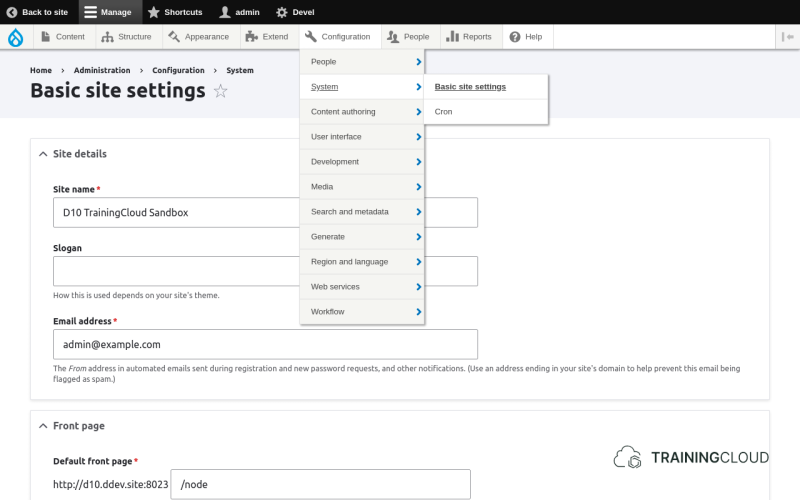
The standard administration menu is quite basic - not much more than a basic set of links ("Content", "Structure", and so on) without visible sub-menu items. As a result, you need to click multiple times when you want to navigate to a deeper sub-menu.
In other words, a standard Drupal installation does not include the nice dropdown menu you see in the above illustration. To remedy this, many site builders install the excellent Admin Toolbar module.
What about the core Navigation module?
A new core navigation module that adds many of the contributed Admin Toolbar features was introduced in Drupal 10.3.
However, at the time of writing the core Navigation module is still experimental in Drupal 10 and 11, so we chose not to include it until it reaches a stable release and can fully replace Admin Toolbar.
In our learning materials we generally stick to:
- stable core modules
- widely used contributed modules with a stable release