Objectives & prerequisites
- Learn different ways of discovering available hooks in core and contrib module.
Finding hooks via api.drupal.org
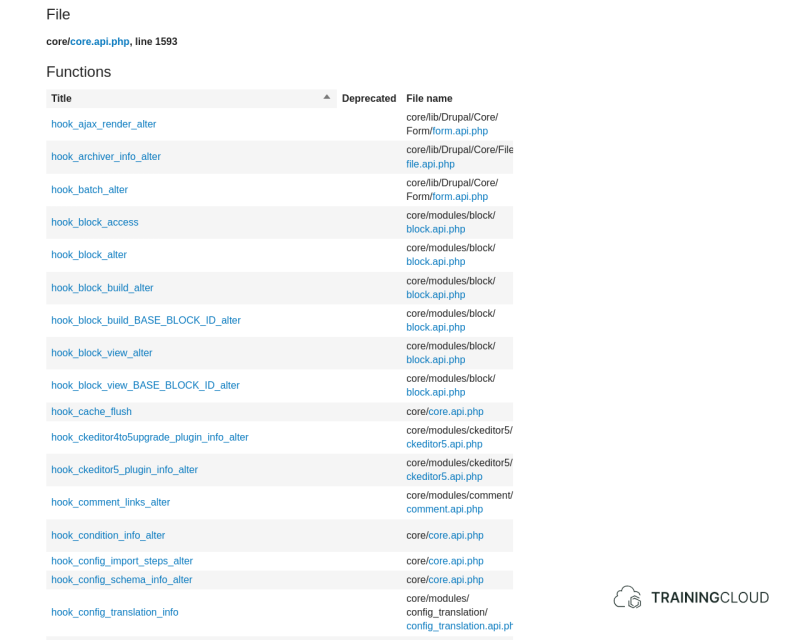
As mentioned before, the first place where you can discover available hooks is https://api.drupal.org:
- Click the 'Extending and altering Drupal link'.
- Select the Hooks topic option.
- All the functions that start with 'hook_' are hooks you can implement.
→ Make sure to check that the documentation version matches your core version of Drupal. To switch to a different core version, open the "Same name and namespace in other branches" accordion.
Finding hooks via *.api.php files
Many core and contrib modules contain a MODULENAME.api.php file which lists all the hooks the module provides, along with a docblock and implementation example for each function.
These *.api.php files serve as documentation only.
→ have a look at file.api.php to get a feel for what you can expect to find in an api file.
Activity
- Use the reference documentation and search for
api.phpbring up all of core's*.api.phpfiles. - Follow the links to some of the search results to get a better feel of what's available in these api documentation files.
Activity
- Look for all the hooks provided by the core
usermodule. - Go through the docblock and sample implementation of
hook_user_loginand compare it with your own implementation of that hook.
Looking for hooks in contrib modules
You've now learned about two ways to look for core hooks. The same technique apply to contributed modules.
You can use your file explorer or code editor to search for 'hook_' or 'api.php' throughout your project's source code.
Summary
- To discover available hooks, search through the reference documentation or your project's codebase for:
- hook_
- api.php