In this unit:
- you will learn where to edit existing menus and create new ones
- you will learn how to change the menu item sort order
- you will learn how to create a menu tree structure with parent/child items
Managing Menus
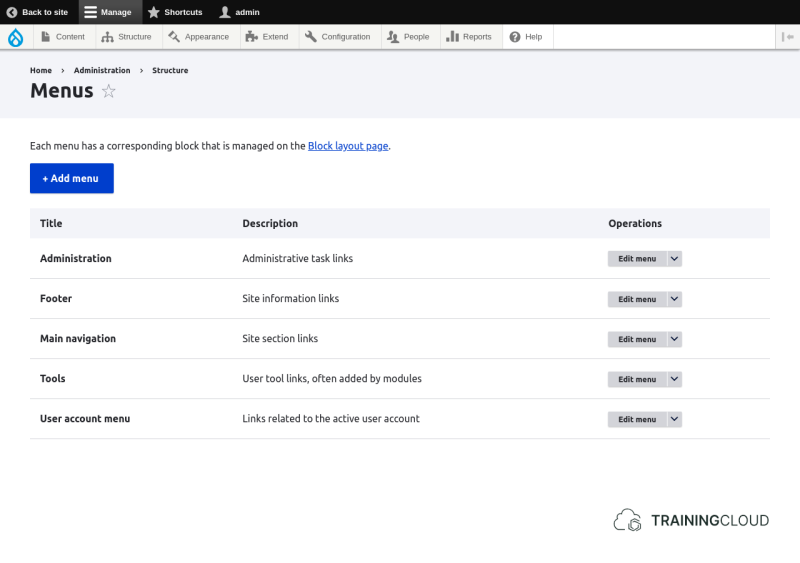
At Manage > structure > menus, you can:
- See the currently defined menus
- Edit a particular menu
- Add a new menu
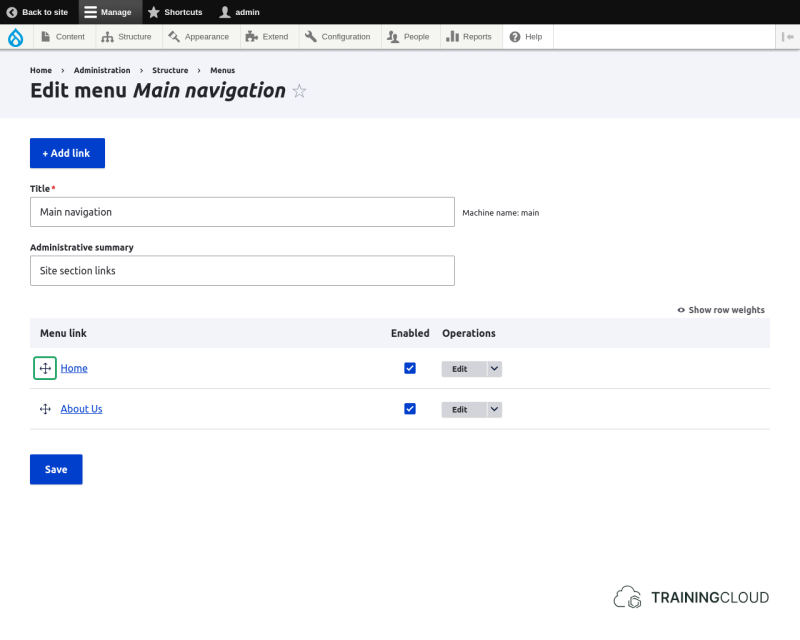
Managing menu link display order
Each menu item is preceded by a 4-sided arrow that lets you drag and drop to change the display order and parent-child relationship of the menu items. Don't forget to save the menu after changing the menu item display order.
TIP:
- You will encounter this type of drag and drop functionality throughout Drupal's administration interface, each time visually indicated by the 4-sided arrow.
Activity 1
- Go through the default menus and find one that has more than one menu link.
- Use the drag and drop mechanism to change the order in which the items are listed.
- Notice the yellow warning box that instructs you to save before doing anything else.
- Change the order again, this time making one menu item a child item of another menu item by dragging the child item horizontally under the the parent item.