Introduction
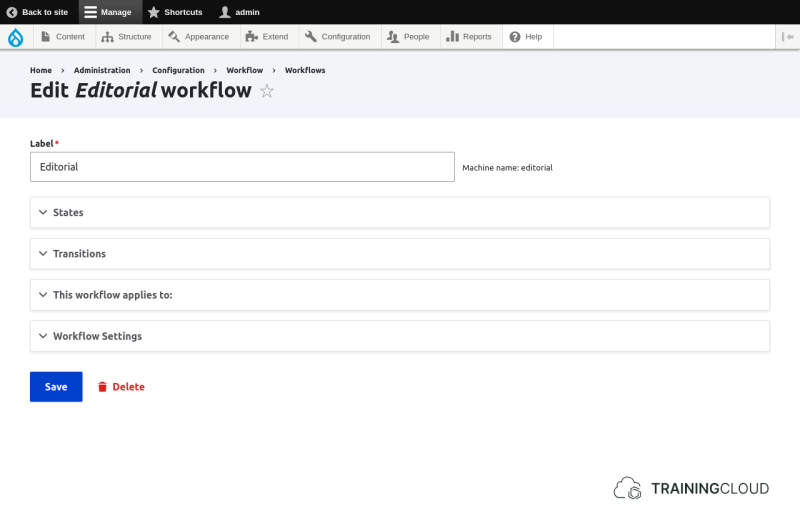
Workflows consist of workflow states and workflow transitions.
You can edit the editorial workflow at Manage > Workflow > Workflows > Editorial:
Workflow States
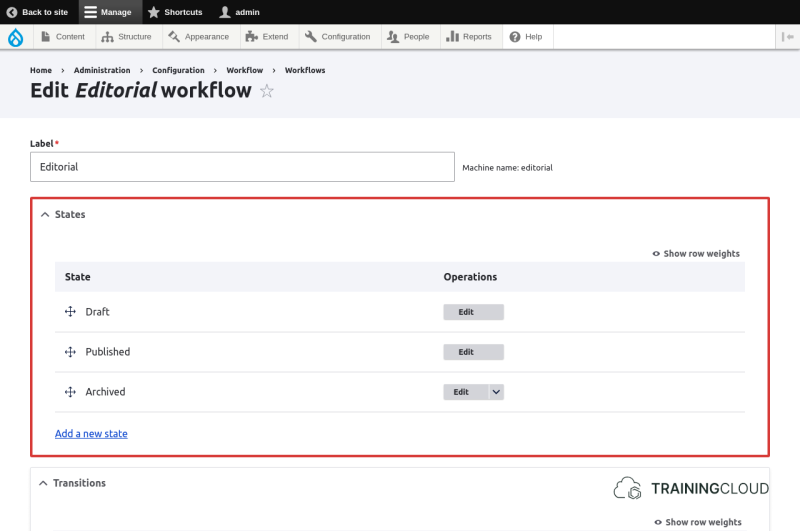
An item to which a workflow applies always finds itself in one of the defined workflow states an any given time.
The Editorial workflow has the following states by default:
- Draft
- Published
- Archived
For any given workflow you can add, rename, and remove workflow states.
Workflow Transitions
Transitions define between which of the defined states a piece of content can transition:
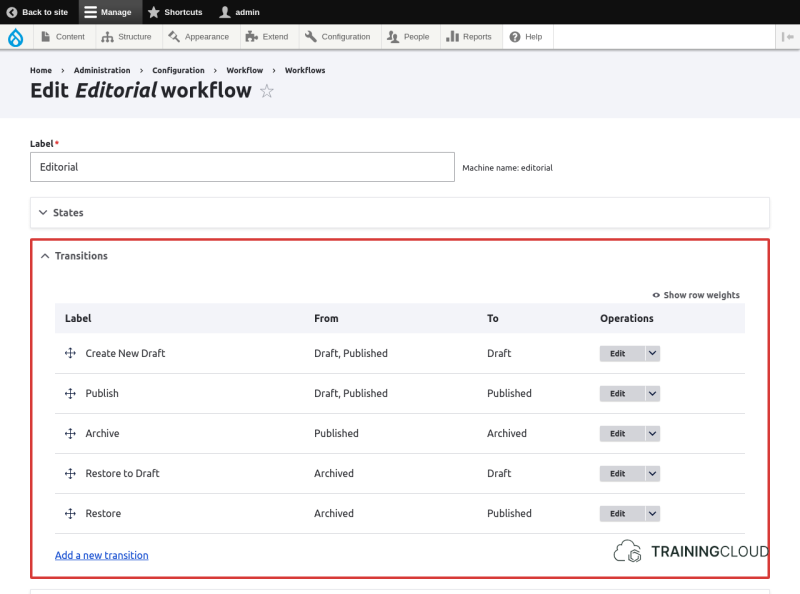
By default, the Editorial workflow has the following transitions:
- Create New Draft
- Publish
- Archive
- Restore to Draft
- Restore
Given this configuration, you won't be able to transition content directly from Draft to Archived because no transition between those two states is defined. You'll need to do this in multiple steps:
- Draft to Published
- Published to Archived
Also note that you won't be able to make changes to content that is in the Archived state because no transition from Archived to Archived is defined. To edit archived content you'll need to follow these steps:
- Archived to Draft
- Draft to Published
- Published to Archived
Working out which workflow transitions you need can be a bit confusing at first. We suggest you start using these default workflow states and transitions for a while before adding additional states and transitions.
Configuration for Content Types / Block Types
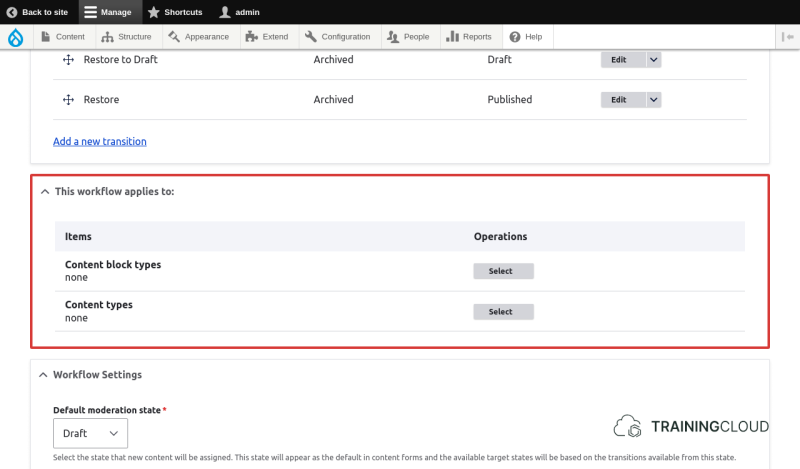
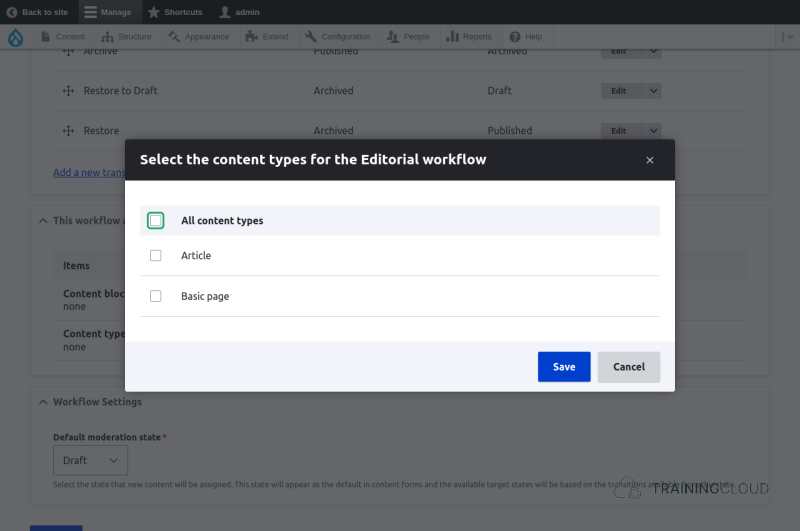
To finish setting up an Editorial workflow you need to specify for which Content Types of Block Types it should apply.
First you need to decide whether you want the workflow to apply to Block Types, Content Types, or both.
You'll most likely want your Editorial workflow to apply to Content Types. The next step is to indicate to which of your Content Types (Article, Basic Page, ...) it should apply.
→ You can decide per Content Type whether it should use the default published / unpublished states, or your more advanced Editorial workflow.
Summary
- Workflows consist of states and transitions.
- The Editorial workflow comes by default with the states draft, published, and archived.
- You need to specify which Block Types and Content Types should use the Editorial workflow.