Introduction
You can add as many workflow states as you want.
Having too many workflow states can make your editorial process needlessly complex, so we suggest you carefully consider which states your workflow really needs.
To add a new workflow state:
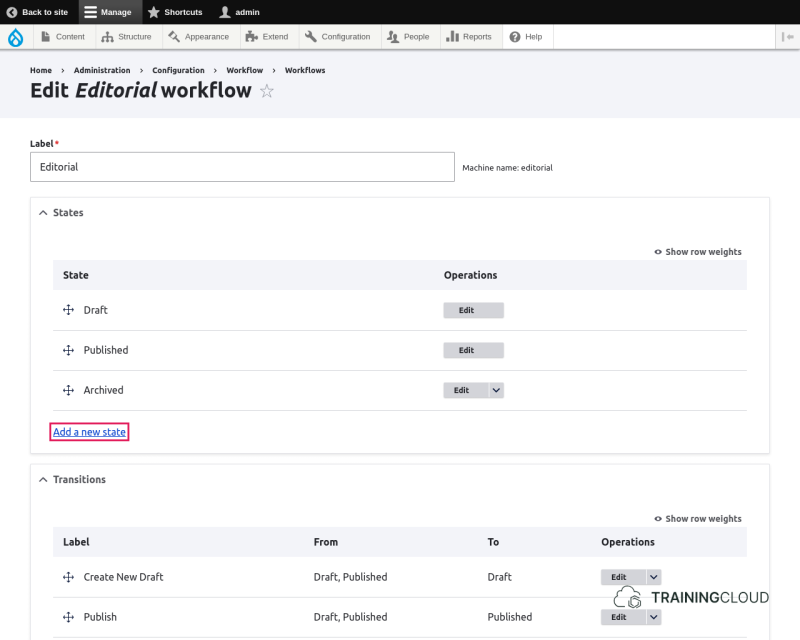
- find your workflow at admin > config > workflow > workflows and click Edit
- click Add new State on your workflow's configuration page
Configuration Options
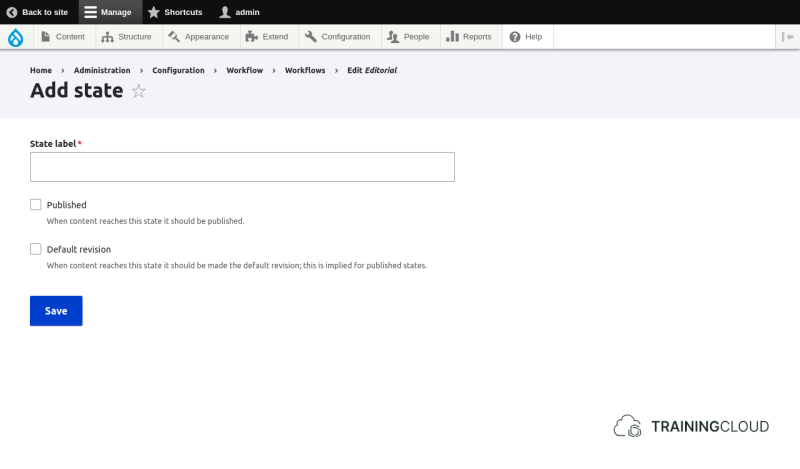
Label
Provide a concise and meaningful name for your workflow.
Examples include:
- Needs Review
- Needs Translation
- Ready for Publication
- Rejected
Published
The workflow state's "Published" checkbox indicates whether the workflow state you're adding or editing makes a piece of content "published" or "unpublished".
The link between the core publication states and the Editorial workflow states
Without the Editorial workflow enabled, the publication status of nodes is either published or unpublished.
When the Editorial workflow is enabled for a given Content Type, nodes of that type can be in the Draft, Published, or Archived state. Or in any of the additional states you may have added.
It is important to note that the Workflow states are an additional set of states, in parallel with the default Published and Unpublished states.
Example:
1. You create a new article
- you set its Editorial workflow state to "Draft"
- you save the article
- its default (core) publication state automatically becomes "unpublished"
2. You publish the article
- you change its Editorial workflow state to "Published"
- its default (core) publication state automatically becomes "published"
3. You archive the article
- you change its Editorial workflow state to "Archived"
- its default (core) publication state automatically becomes "unpublished"
For the above scenario to work correctly, Drupal must know which Editorial workflow states correspond to the core publication state Published and which workflow states correspond to the Unpublished publication state.
Default revision
The most common use case is to have several workflow states that correspond to Unpublished, and one workflow state that corresponds to Published.
You could however add more workflow states that also correspond to the Published publication state. In that case you may also want to make one of those the workflow state that indicates the Default revision.
Every time you save a node, even just to change its workflow state from one state to another, a new revision is automatically created.
If you have more than one workflow state that corresponds to Published, you need to tell Drupal which of these states is the default visible state when a visitor looks at that node.