Objectives & prerequisites
- Research the messenger service and the class that provides it.
- Add a new route and controller and use the messenger service.
The Messenger Service
Drupal often displays messages, also referred to as alerts, usually near the top of the page:
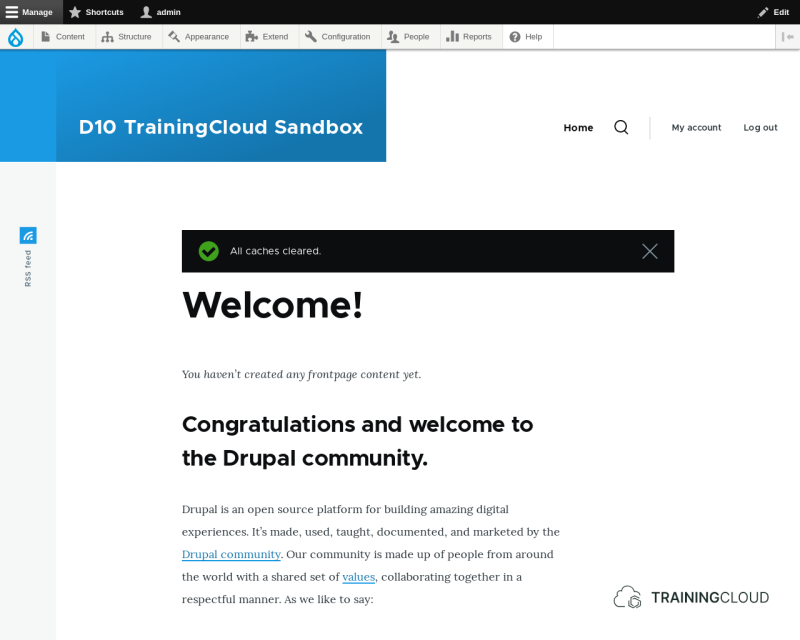
These messages come in three types:
- Status messages (usually green)
- Warning messages (usually yellow/orange)
- Error messages (usually red)
The messenger service lets you generate these messages with a single line of code.
Activity
- Use the reference documentation to look up the
messengerservice and the class that provides it. - Go over the available methods and properties to learn exactly which functionality this service offers.
- For each of the methods listed below:
- Click on the method to go to its detail page.
- Find and try to understand what's going on in the method's source code
Methods:
addMessage()addStatus()addWarning()addError()
Questions:
- What sets
addMessage()apart from the other three methods? - Are you more likely to use
addMessage()or the other three?
Repeating messages (or not)
The methods that the messenger service provides for adding messages all accept an optional $repeat parameter, which must be a boolean (true/false). By default its value is false so you only need to provide this parameter if you want to pass along true instead.
When/why would messages be repeated?
On each page load, Drupal keeps track of the different messages that may have been queued up by different subsystems. It tries to prevent identical messages from being displayed repeatedly.
Identical messages would be displayed repeated in the following scenario:
- You write code that shows a message with the text "Node loaded" every time a node is loaded from the database, and you've set
repeattotrue. - On pages where more than one node are displayed, such as the front page or any views-based listing, this message is now shown for each node that appears in the listing.
In the above scenario, to only show this message once, set repeat to false, or don't pass the parameter at all, since its default value is false anyway.
You should only set repeat to true if you have a good reason to do so and are aware of the consequences.
Activity
Add new functionality to my_services_demo to demonstrate the 3 types of messages you can generate with the messenger service. The idea is to create a route that renders a page that has a bit of text and shows three alert messages, one of each type.
- Create a new route with the path set to
/alerts. - Create a new controller class called
AlertsController. - Add a
alertsDemo()method to the class.- Inside this method, generate one status, one warning, and one error message.
- Also ensure that "This is the page content." is rendered (printed on screen).
- Update your new route so the controller points to your new class and method.
Activity (bonus)
Add new functionality to my_services_demo: a new route with a parameter, that renders a page. Based on the parameter, show either a status, warning, or error message.
Example behaviour:
- /alert/status → renders a page with a status alert that says "I'm a status alert"
- /alert/warning → renders a page with a status alert that says "I'm a warning alert"
- /alert/error → renders a page with a status alert that says "I'm a warning alert"
Things you'll need to do:
- Add a new route.
- Add a new controller method with a parameter to
AlertsController - Write some logic in the controller method where you test the parameter with a few if/then statements, and based on the value of the parameter you'll generate the appropriate status/warning/error message
Summary
- The messenger service lets you generate status, warning, and error messages.
- You can use the Drupal docs to learn more about classes and their methods, and evaluate if a given service or method is useful for your purposes.