Nodes
One of the most important concepts in all of Drupal is that of nodes. In Drupal terminology, every content item, regardless of its content type, is a node.
In various guides, tutorials, and courses, node and content item are used interchangeably. Sometimes you'll read about content items or nodes, and sometimes about content types, or node types.
In each case they're referring to the same thing:
- article content = content of the type Article
- an article node = a node of the type Article
Node IDs
When you create a node, Drupal gives it a unique numerical identifier called the node id or nid. This sequential, unchangeable number is the node's unique reference for its entire life span, and once a node is deleted, its node id does not get reused for new content.
How to find the node id for a given node
A node's id is part of its default path, the address where it can be visited.
Example:
- The first node you create:
- has node id 1
- can be viewed at
/node/1 - can be edited at
/node/1/edit
- The second node you create:
- Has node id 2
- Can be viewed at
/node/2 - Can be edited at
/node/2/edit
If you have defined a URL Alias for your node (discussed below), you won't see the node id in the path anymore: you'll only see the new alias. In that case, to retrieve a node's id you can:
- Navigate to Administration > Content and hover over a node's edit link. The full address should appear in your browser's lower left corner.
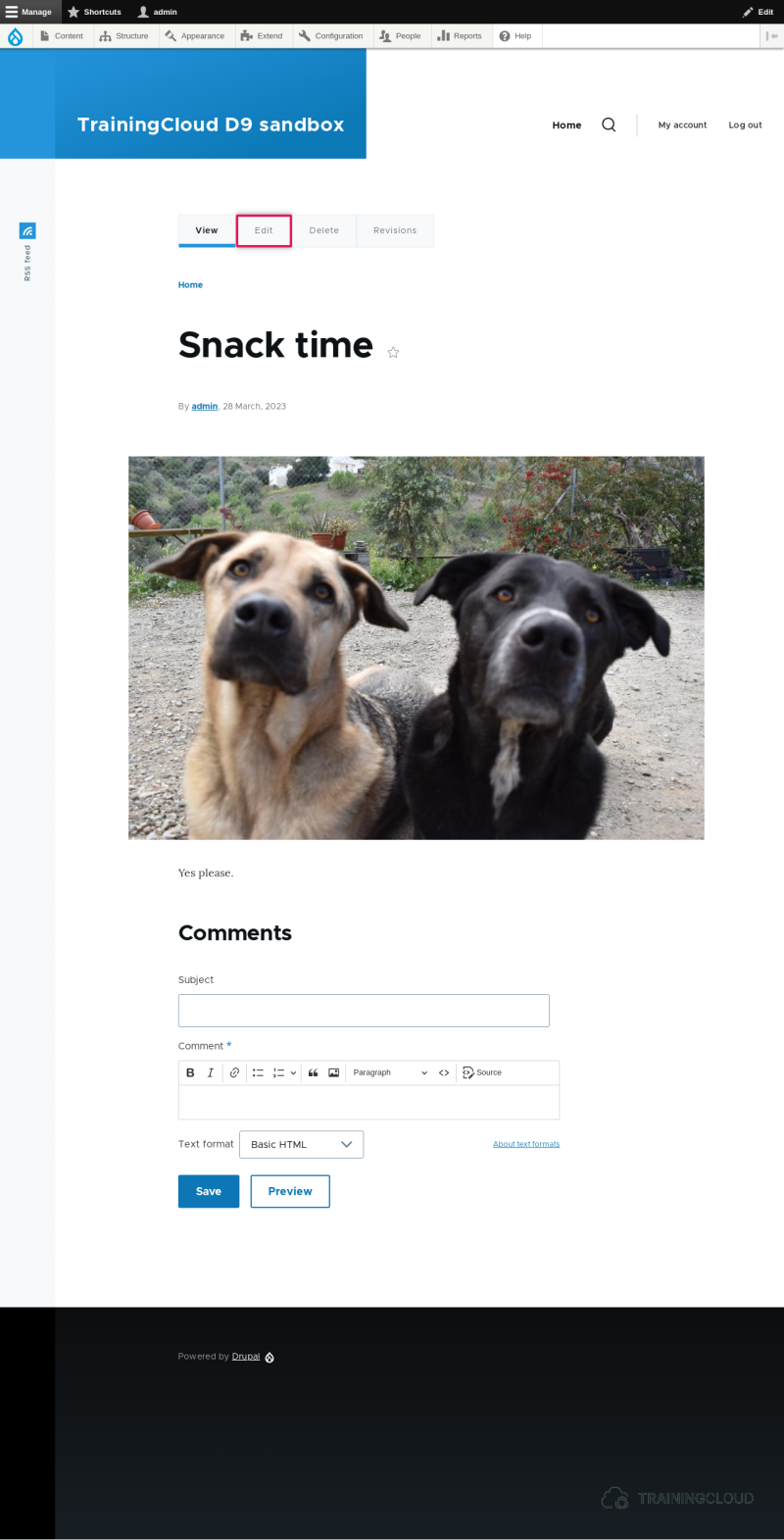
- View the full node on its own page and hover over the edit link that's part of the local tasks tab shown above the node content:
Paths and aliases
You can reach any given node at its default path: /node/ID (replacing ID with the node's id). This is also referred to as a node's canonical path.
To give nodes a more memorable path, and to improve SEO (Search Engine Optimization) efforts, you can give each node a path alias. This is referred to as a node's alias, path alias, or URL alias. These terms are all used interchangeably.
Other content management systems sometimes call this a "friendly URL" or "content slug".
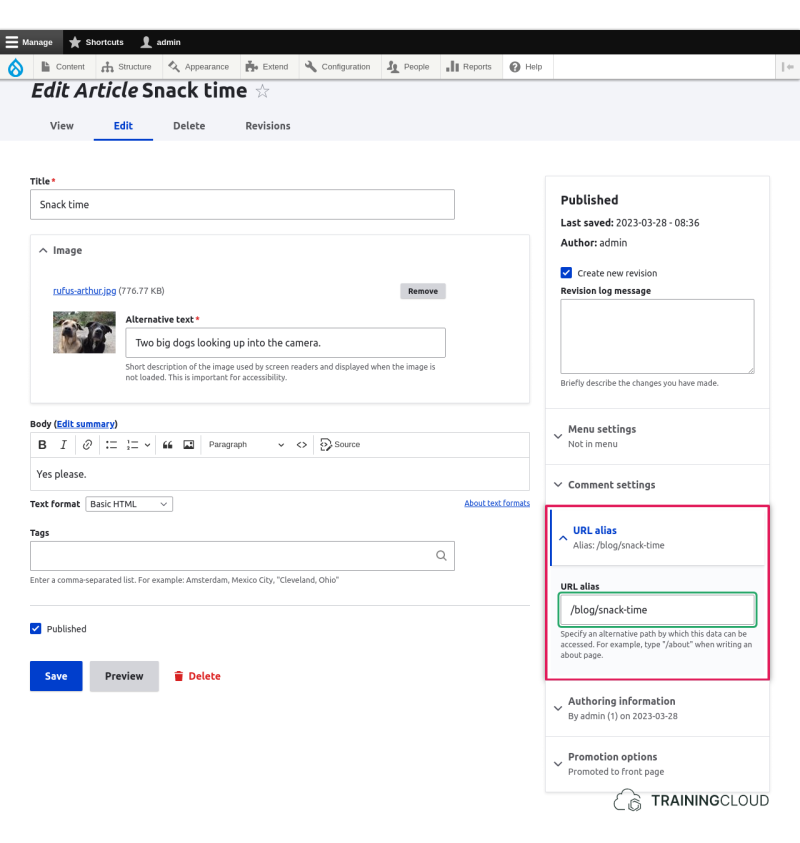
To define an alias for your node, edit a node, open the URL Alias fieldset and provide an alias. It must start with a forward slash, must not contain spaces, and is allowed to contain as many parts as you want, such as:
/hello-world/blog/snack-time/reports/environment/2023/paris-conference-resolutions
When you create aliases, you should avoid:
- spaces
- accented characters
- non-alphanumeric characters except dashes and underscores
Note:
When you create an alias for a node, Drupal will create links to that node using the new alias. But the node will stay reachable at its default path (/node/ID) as well.
After all, an alias is an additional path; it does not replace the default path.
Activity 1
- Create a new node without an alias. Note down its node id.
- Delete the node via the 'delete' link on the node edit form, or via the Content Dashboard.
Questions:
- If you would now create another new node, do you:
- Expect Drupal to assign the previously deleted node's id to this new node?
- Expect Drupal to assign an entirely new node id?
- Expect something else?
Try it out, and see if your expectation was met.
Drupal does not reuse old node ids.
Every time you create a new node, the next available id is used (last id + 1).
Activity 2
- Edit any of your previously created, unaliased nodes, and give it an alias.
After saving the node you are redirected to the node's page.
- Look at your browser's address bar and notice that the address of your node is no longer showing as
/node/ID, but as the alias you gave.
Drupal will always try to use a node's more useful alias instead of the rather meaningless default path.
Activity 3
- Go back to the node you just edited and change the alias to something else.
After saving the node do you:
- Expect the default path to still work?
- Expect the first alias you created to still work?
- Expect the newest alias you created to work?
- Expect something else?
Regardless of any alias you may have set, you can always reach a node's page via its default (canonical) path /node/ID.
When you change a path alias, the old alias stops working and the new alias starts working. Trying to navigate to an old alias results in a "Page not found" error.
Note:
Modules such as Pathauto have options to keep old aliases intact.
Activity 4
- Create a new node and give it the same alias that another node is currently using.
After saving the node do you:
- Expect to see an error message?
- Expect this second node to keep the new alias, and the other node to lose its alias?
- Expect both nodes to have the same alias? If so, which one will be reachable via the alias?
- Expect something else?
Try it out, and see if your expectation was met.
As you probably expected, when you're on a node edit form and try to set a path alias that's already in use, an error is shown:
The alias /blog/snack-time is already in use in this language.Summary
- Every node has an automatically assigned numerical id that can't be changed.
- After you delete a node, Drupal does not reuse the node id for the next node.
- When creating links to nodes, Drupal will always prefer to use a node's alias rather than the default path of
node/ID. - On the node edit form, you can't set a path alias that's already in use for another node.