Introduction
All nodes, regardless of their Content Type, have certain fields in common, including:
- title
- path
- author
- creation date
- publication status
- ...
Though they all share these fields, their default values may differ between Content Types. For instance, Articles have the Promoted to front page setting selected by default, but Basic Pages do not.
In addition to the built-in fields, Content Types can also have additional fields, added by site developers or modules. This is described in more detail in the materials on Working with Fields.
Common Content Fields
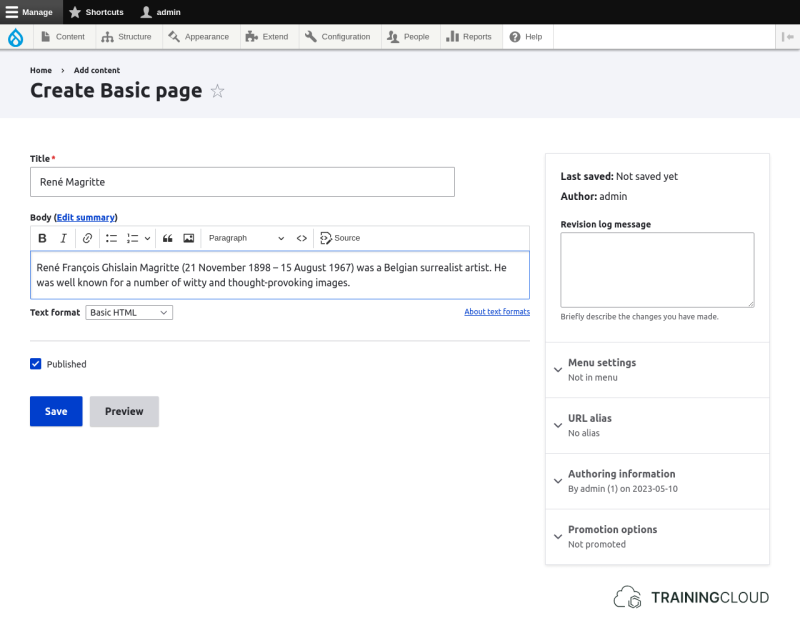
- Title
- Body (*)
* Though all Content Types come with a Body field by default, site builders sometimes remove it and/or replace it with something else, depending on their needs.
Here's a screenshot of the Basic Page creation page showing the Title and Body fields:
Common settings: Metadata
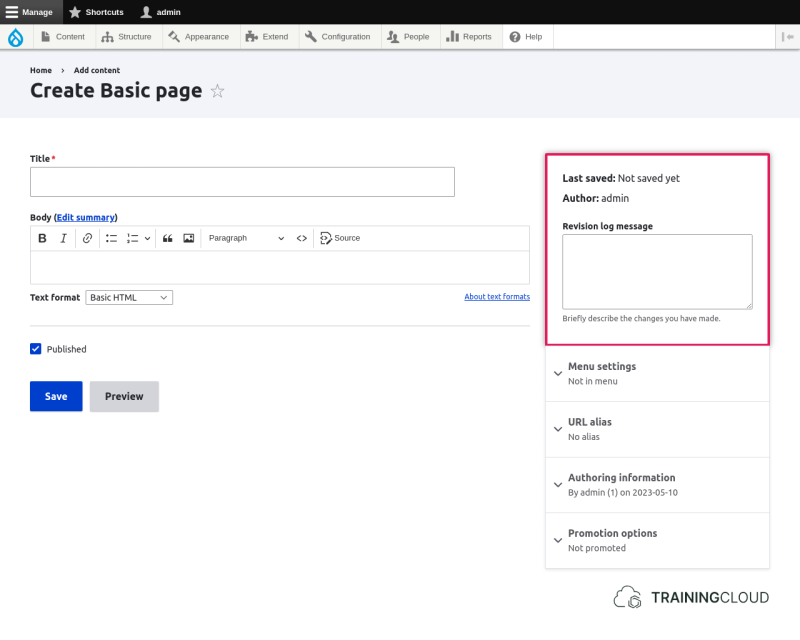
- Last saved: date and time of last modification
- Author: name of the user who created the content item
- Revision log message: optional description of the changes you made
Common settings: Menu settings
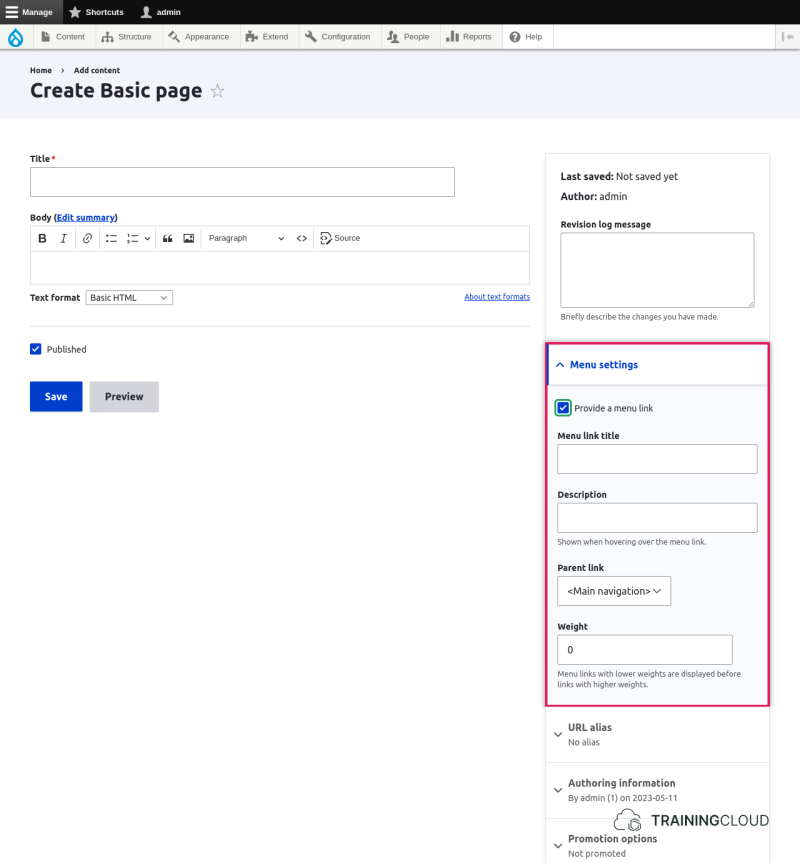
- Provide a menu link: activates the option to add this node to a menu
- Menu link title: the menu link text
- Description: shown when hovering over the menu link
- Parent link: the menu (or menu item) to which this menu link should belong
- Weight: specifies the menu link's order relative to other links (*)
* The weight is usually set by dragging/dropping menu links via the menu administration interface at Administration > Structure > Menus. The option to set weights via the numerical weight field exists for people who can't use javascript and/or use alternative input devices.
Common settings: URL Alias
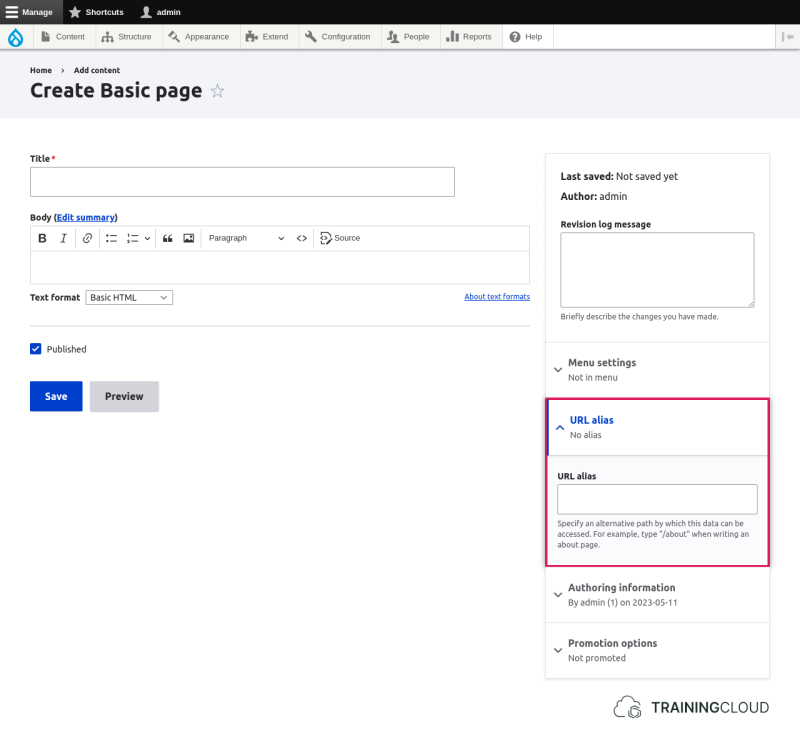
- URL Alias: an alternative path by which this page can be accessed.
→ Nodes, paths, and redirects are covered elsewhere.
Common settings: Authoring information
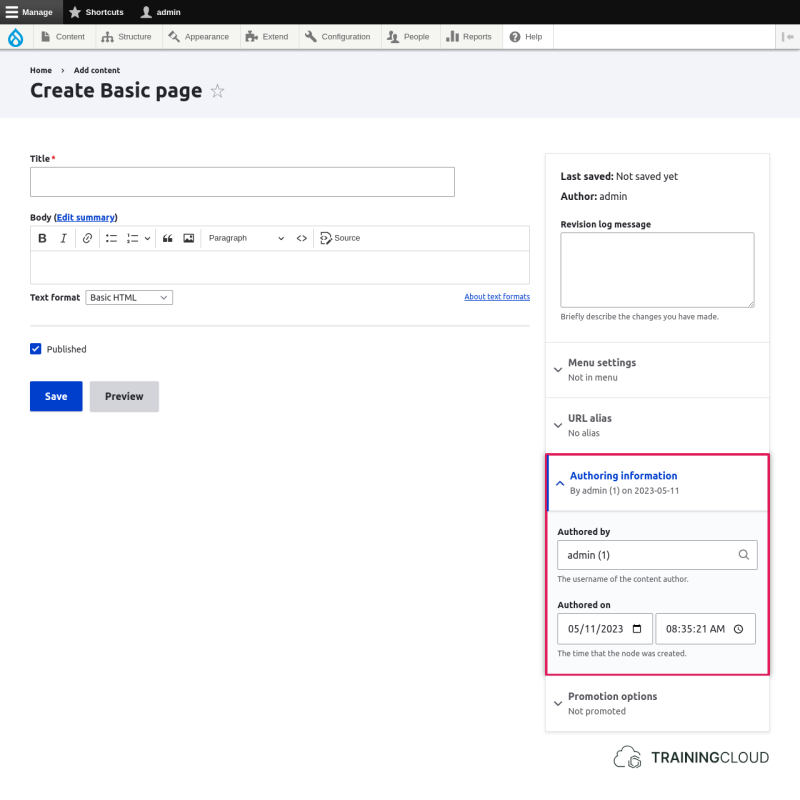
- Authored By: the username of the content author
- Authored On: the date and time to set as the creation date/time
Promotion Options
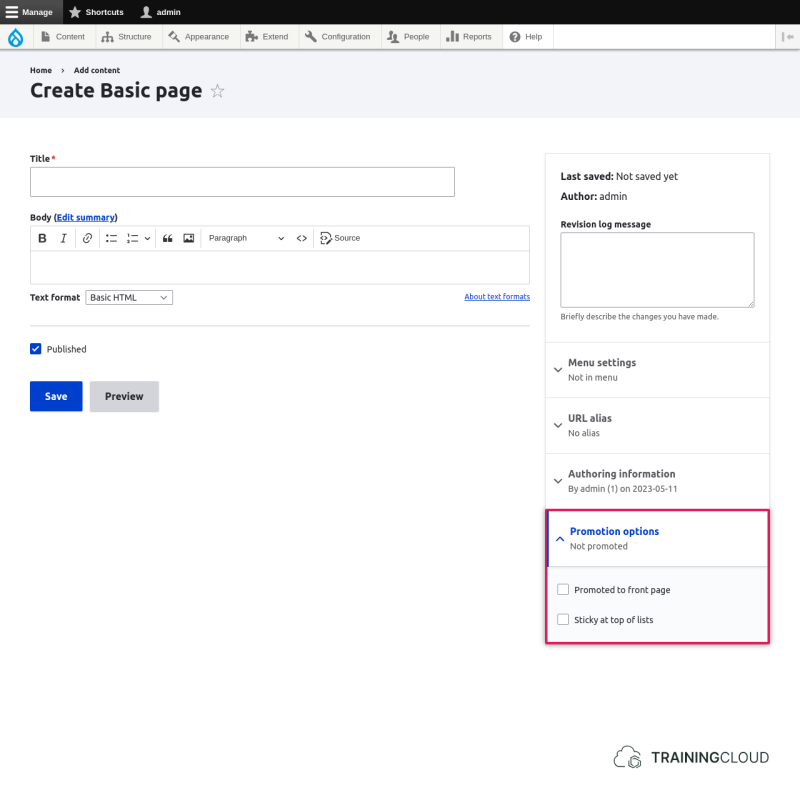
- Promoted to front page: show this content item on the front page
- Sticky at top of lists: show this content item at the top of lists of content, regardless of other sorting criteria (*)
* The sticky mechanism is often used for "sticky forum posts" where you want to display older but still important forum topica at the top of the page, followed by the other topics that are usually ordered by date.
Summary
- All Content Types have a common set of fields.
- Some fields are used more for content purposes, while other fields are used more for configuration purposes.
- Content Types share fields, but their default value can differ from one Content Type to the next.