Activity
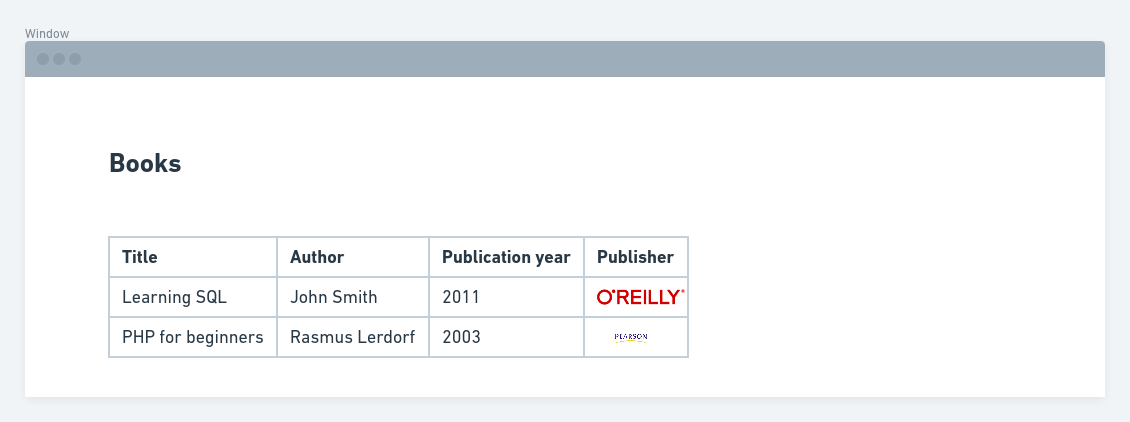
Create a view that shows a list of books (title, publication year) and for each book also shows the author's name and the publisher's picture.
Here's a mockup of the final result:
Image
Actions you'll have to take:
You'll need to create three content types:
- Author
- Publisher
- Book
Author fields
- Title (rename this field to 'Name')
Publisher fields
- Title (rename this field to 'Name')
- Logo (image field)
Book fields
- Title
- Description (body)
- Publication year (date field, using only years)
- Content reference field to the Author content type (so editors can select 1 author for each book)
- Content reference field to the Publisher content type (so editors can select 1 publisher for each book)
Create the view
- Create a view that shows content of the type 'Book'
- Add the necessary book fields to the view
- Create a relationship using the author content reference field
- Create a second relationship using the publisher content reference field
- Now add the fields that have become available (author name, publisher logo)
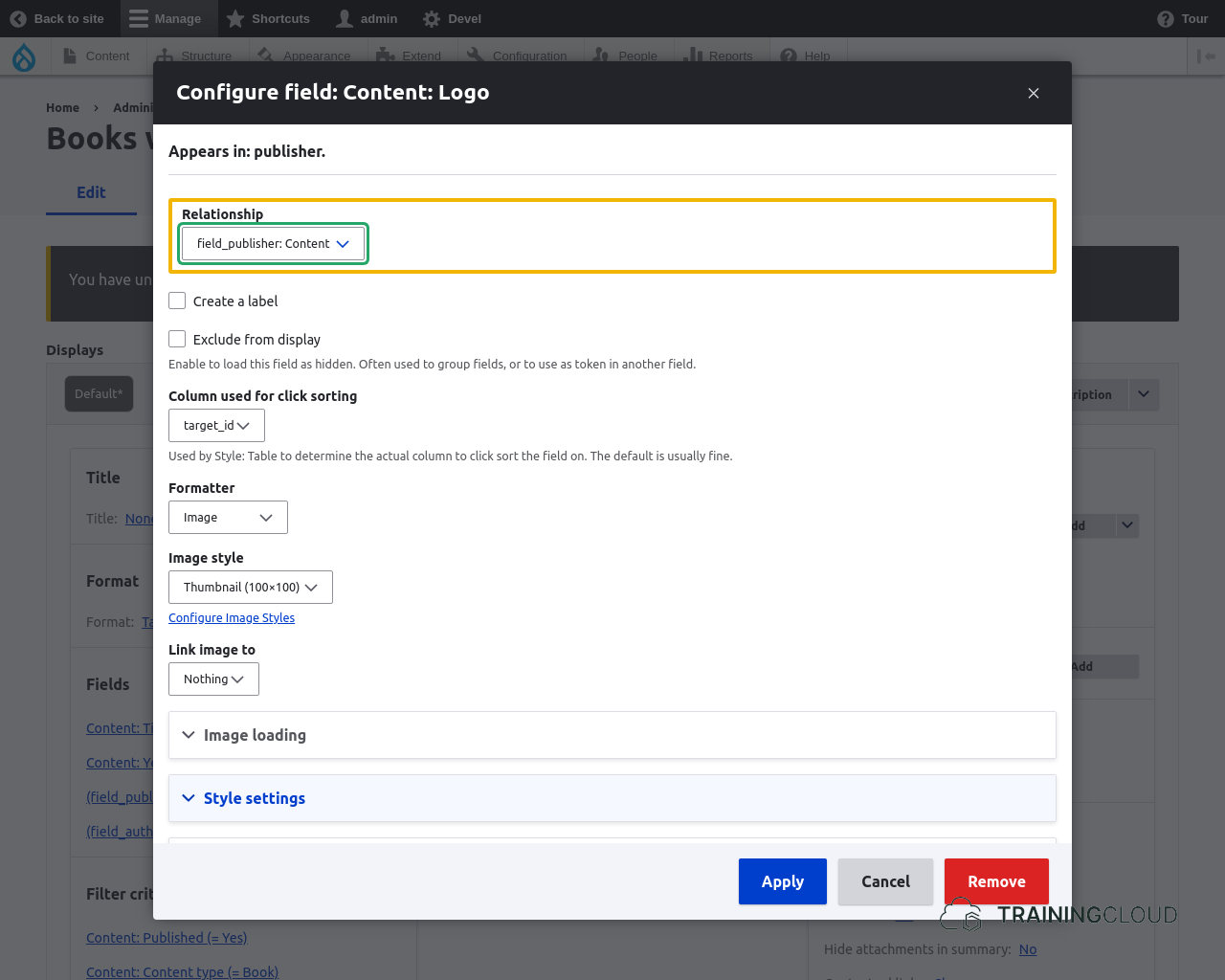
So far you've only seen examples of views that use one relationship. This activity requires two relationships, so when you add fields that have become available through the new relationships, be sure to select the right relationship.
Example (when adding a field to a view):
Image
Though adding more than one relationship can make the view a bit more complex to build and maintain, the approach remains the same:
- you build a view of something (nodes, users, terms, ...)
- you pull in related information via one or more relationships
Hide hints
show hints