Objectives & prerequisites
- Learn how to display a form as a block.
- Created a form.
- Having made that form available on its own page by creating a route.
You can display forms on their own page via a route, but that's not the only way to display forms. You can also embed them in page or block content, or create a block that displays only the form and nothing else.
To make a form available as a block:
- Create a new block class
- Inside its
build()method, retrieve the form as a render array and return it.
Let's put that into practice:
Activity
- Create a new block named ColourFormBlock.
- Have the
build()method return a basic message like "This is where the form will be displayed."
→ ensure your block works correctly by placing it in the sidebar and checking the result.
Rendering a form instead of content
You can use the formBuilder service, available via the service container, to retrieve and build forms:
$form = \Drupal::formBuilder()->getForm('Drupal\my_module\Form\MyFormClass');If you look at BuildForm::getForm()'s documentation, you'll see it retrieves the form with the given class name, builds it, and returns the form as a render array.
Activity
- Update your
ColourFormBlock::build() method:- Retrieve your form using the full form class name.
- Instead of returning the
$buildrender array with your message, return your$formrender array.
1. Why does returning $form instead of $build work too?
\Drupal::formBuilder()->getForm() retrieves the form definition of a given form class, builds the form, and returns it as a render array, ready for display.
Your block's build() method still returns a render array, as it should. It just happens to be a render array that contains a form, rather than a render array you constructed yourself showing a short message.
2. What's the full name of my form class?
The full name of your form class is the namespace + the class name:
Drupal\my_form_demo\Form\ColourForm→ This is the same class name you used for the_form property of your my_form_demo.colour route.
If everything went well, you should have the following result:
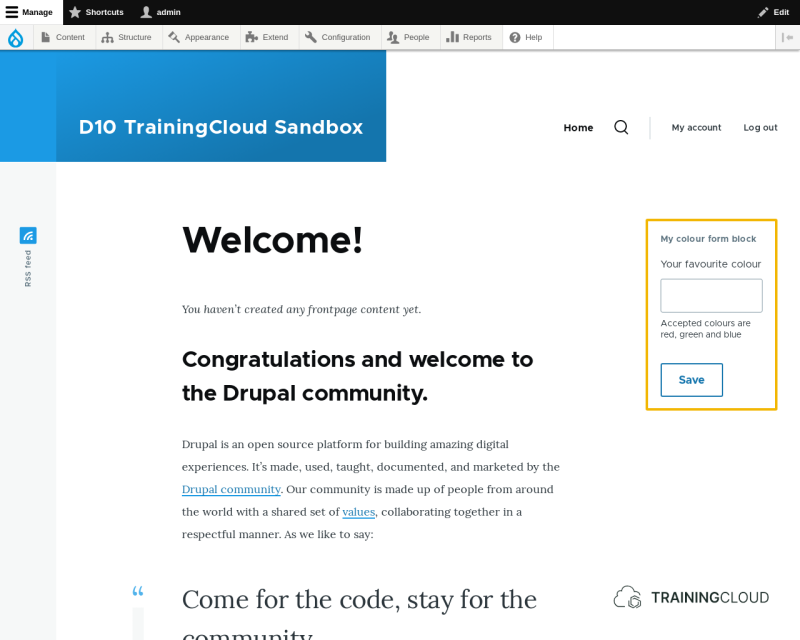
Try using the form. Your custom validation and redirection should still work.
Summary
- You can make a form available as a block by creating a block class that implements a
build()method that returns that form as a render array. - You can retrieve a form as a render array via
\Drupal::buildForm().