Objectives & prerequisites
- Describe how DDEV add-ons can enrich to an environment.
- Install DDEV add-ons
- Update DDEV add-ons
- Remove DDEV add-ons
- Basic command-line usage.
- Setting up a DDEV environment
Introduction
You can add additional commands and containerized services to your DDEV environment by installing DDEV add-ons.
Popular add-on services include:
- ddev/ddev-redis: adds a Redis key/value store often used as an additional cache layer
- ddev/ddev-elasticsearch: adds the Elasticsearch search engine to replace Drupal's built-in search.
- ddev/ddev-adminer: adds the Adminer tool, a web-based admin interface to manage your database
But not all add-ons set up fully featured containerized services. Add-ons can also provide DDEV commands, such as:
- iamntz/ddev-rename-project: rename a DDEV project in a single command instead of the default multi-step process for renaming projects.
- tyler36/ddev-dbslow: enable and disable logging of slow database queries.
How are add-ons created?
- DDEV add-ons that add containerized services are defined with a docker-compose file.
- DDEV commands are bash scripts.
The details on how to create and publish new services are beyond the scope of this introduction, but if you're interested to learn more, see:
The mailpit service
When you set up a new DDEV environment, it comes with three containerized services:
- Web: a web service (to serve your web application)
- Db: a db service (to serve your database)
- Mailpit: a mail catcher services to intercept outgoing emails sent by your web app.
Mailpit service is a nice example of additional DDEV services: it runs in its own container and provides a web interface where you can list, view, and remove outgoing emails caught by Mailpit.
It used to be an add-on service, but is now part of every DDEV environment, so technically it's no longer an add-on.
As a counter-example: DDEV environments used to include PHPMyAdmin as a containerized service. PHPMyadmin is a web based tool to administer databases. For various reasons it is no longer included by default, but the service is still available as an add-on named ddev/ddev-phpmyadmin.
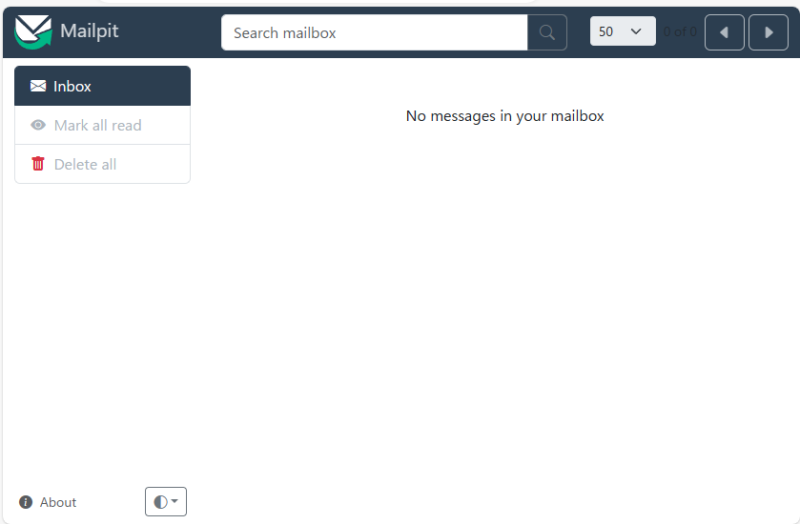
Activity 1
- Run
ddev statusto find out how to connect to your environment's Mailpit service. - Connect to your environment's Mailpit service.
From your command-line, un the following command to simulate mail being sent by your web application:
sarah@laptop: ~/projects/demo$ ddev drush php:eval "mail('recipient@example.com', 'The subject', 'The mail message.');"Connect to your environment's Mailpit service again, or refresh the page. The mail message should be listed.
Click on the message to inspect it.
Make sure you're inside your environment directory (e.g. ~/projects/demo) when you run DDEV commands.
Use ddev status to check if your DDEV environment has started. Start your environment if not yet started.
List all official add-ons
Official add-ons are created, published, and supported by the DDEV team.
Use ddev get --list to see all official add-ons.
Activity 2
Use the command-line to get a list of all official DDEV add-ons.
List all available add-ons
DDEV is open source software. Anyone can create and publish DDEV add-ons.
To see all available add-ons, both official and unofficial ones, use ddev get --list --all.
Activity 3
Use the command-line to get a list of all available DDEV add-ons.
Demo
List all installed add-ons
Use ddev get --installed to list the add-ons installed in your DDEV environment.
Activity 4
Use the command-line to list all of your installed DDEV add-ons.
Install an add-on
Use ddev get to install any add-on, followed by ddev restart to restart your environment.
Example
ddev get ddev/ddev-adminer
ddev restart
If your run ddev status you should see the Adminer service and its details listed.
WARNING
With tools like Adminer you have full access to every table in the database.
Don't make any changes in your database unless you know what you're doing. You may lose data or cause your application to no longer function correctly.
Take a database backup before you experiment with direct database access!
Activity 5
Install the Adminer add-on and connect to it to see it in action.
If you do this in an environment where you have an application like Drupal or Wordpress installed, you should see all of its tables and their contents.
Update an add-on
To update an add-on, use the same command as installing the add-on:
ddev get example/addon-nameRemove an add-on
Remove addons with ddev get --remove, followed by ddev restart to restart your environment.
Example
ddev get --remove ddev/ddev-adminer
ddev restart
Activity 6
Remove the Adminer add-on, restart, and verify that the service is no longer available.
ddev get --remove ddev/ddev-adminer
ddev restart
ddev statusActivity 7
- Install the PHPMyAdmin add-on and connect to it. If you've previously explored Adminer then PHPMyAdmin should look familiar.
- Remove the PHPMyAdmin add-on again.
ddev get ddev/ddev-phpmyadmin
ddev restart
ddev status
ddev get --remove ddev/ddev-phpmyadmin
ddev restart
ddev statusSummary
- DDEV add-ons can provide containerized services, commands, or both.
- List official add-ons with
ddev get --list - List all add-ons with
ddev get --list --all - List installed add-ons with
ddev get --installed - Install add-ons with
ddev get example/addon-name - Remove add-ons with
ddev get --remove example/addon-name - Restart your DDEV environment after installing or removing add-ons.
- Use Mailpit to catch and inspect outgoing emails.