Introduction
Traditionally, fields of the type File and Image have been used to let editors attach one or more files or images to content entities such as nodes, users, and taxonomy terms.
The core Media and Media Library modules (not active by default) improve the editorial experience around using and reusing media files (images, documents, videos, sound files, ...).
Disadvantages of using File or Image fields.
- File and Image fields are useful field types, but there are a few problems:
- You can't use external media files - files that are hosted elsewhere, such as Youtube videos.
- You can't reuse previously uploaded files or images.
- You can't easily enrich them with your own metadata.
Drupal's core Media and Media Library modules offer a solution.
They provide a powerful system for managing, selecting, and displaying reusable media assets such as images, video / audio files, and documents.
Working with media in Drupal typically requires you to install two core modules, neither of which is installed by default: the Media module and the Media Library module.
The Media module
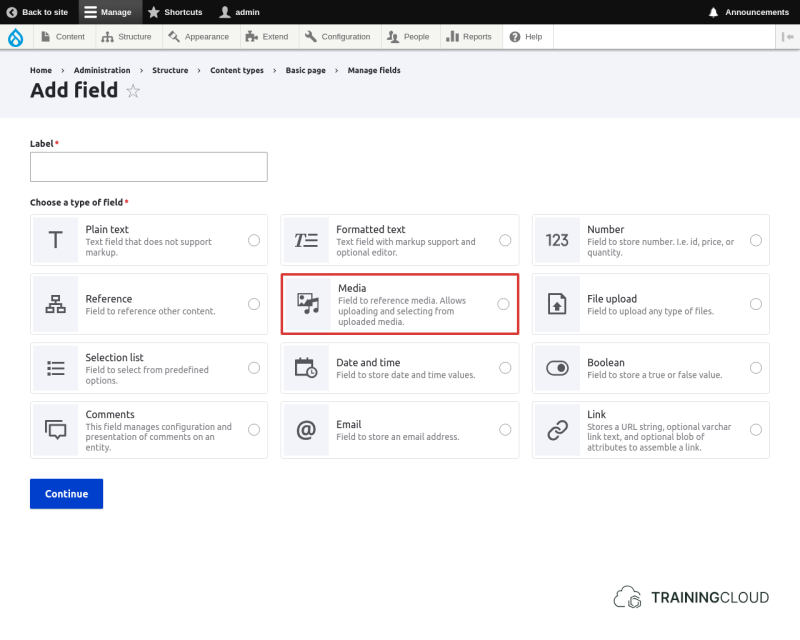
The Media module provides a Media entity type, a Media field type, and gives you an interface to create and manage reusable images, documents, videos, and audio files.
New Media field type
New Media management screen
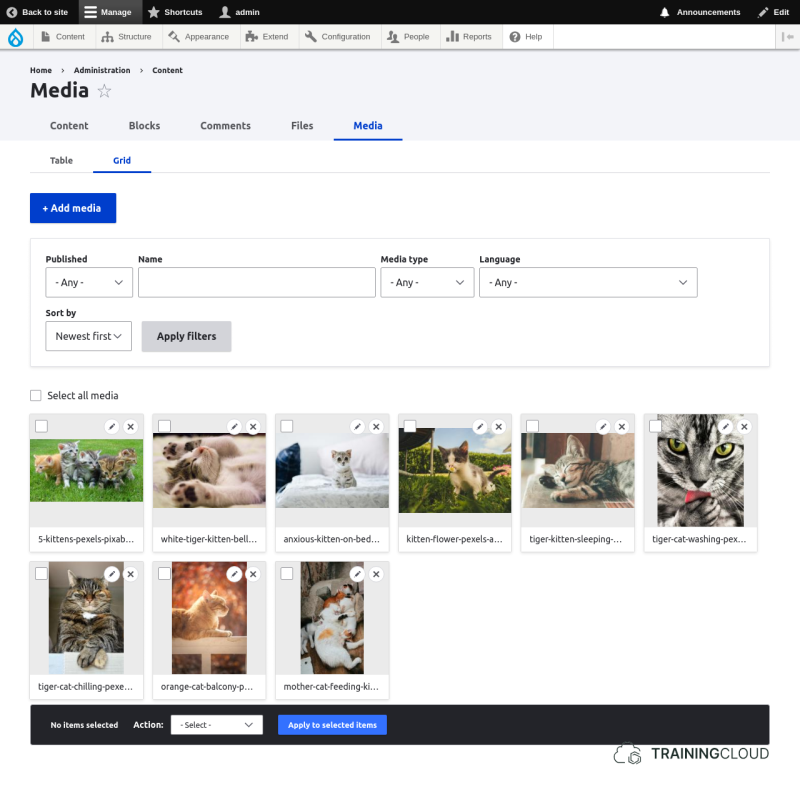
The above screenshot shows the Media Library for illustration only.
At this point the Media Library should NOT be installed yet; you'll install and use it later.
Media entities are fieldable
Media entities are fieldable entities, so you can add additional fields per media type.
You could, for example, add a field for copyright information to Image entities, or a long text field for text transcripts to Video entities, or specific classification-related taxonomy fields to Document entities.
By itself the Media module does not offer a user-friendly interface to create new media items or select existing ones during the content editing process.
Out-of-the-box, adding new media to other content is a two-step process:
- first create the media item(s)
- then create or edit a node with a Media field and use a select list, checkbox list, or autocomplete field to select the image you created:
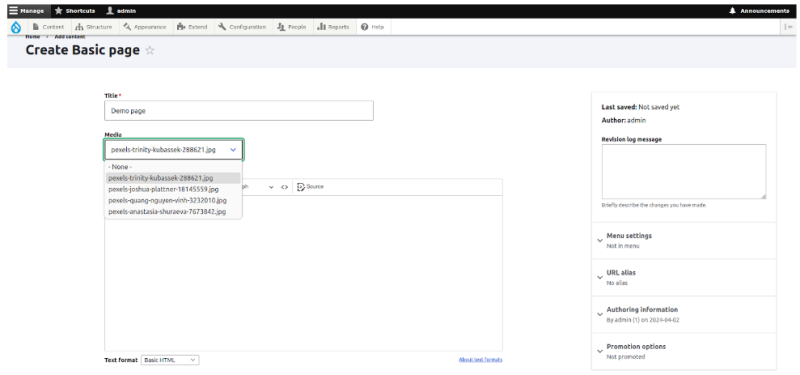
As you can see, there is no way to create a media item at this point, selecting existing media items is not very user friendly, especially if there are many media items to choose from.
This is where the Media Library module comes in to improve things.
The Media Library module
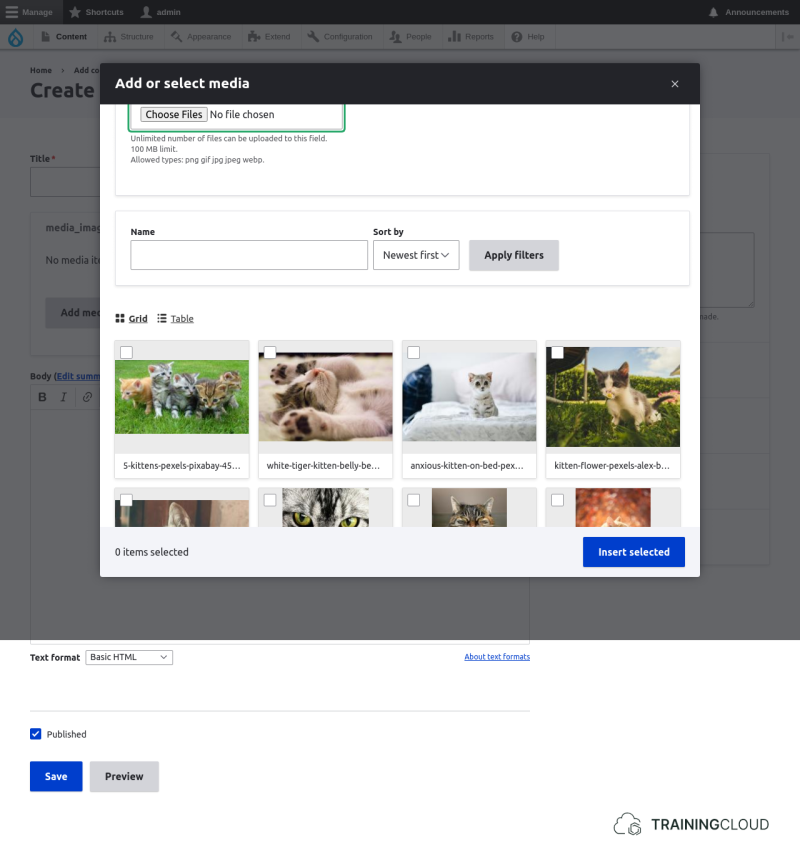
While you're editing content, the Media Library enhances the editorial process by letting you:
- select previously created media items
- create and insert new media items
With the Media Library module installed, the interface looks much friendlier:
Summary
- The core Media module provides the Media entity type and Media field type.
- The core Media Library module provides the Media Library form widget to make working with Media entities during content management easier.