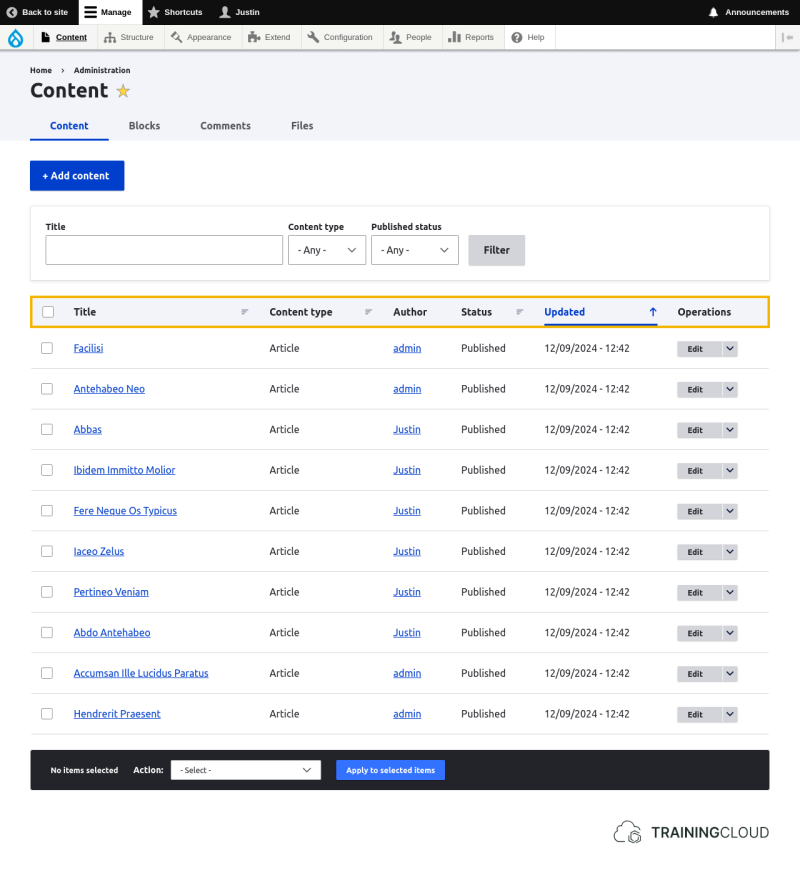
The Content administration page at /admin/content is one of the most often-used administrative views.
Here's how it looks by default, with the column headers highlighted:
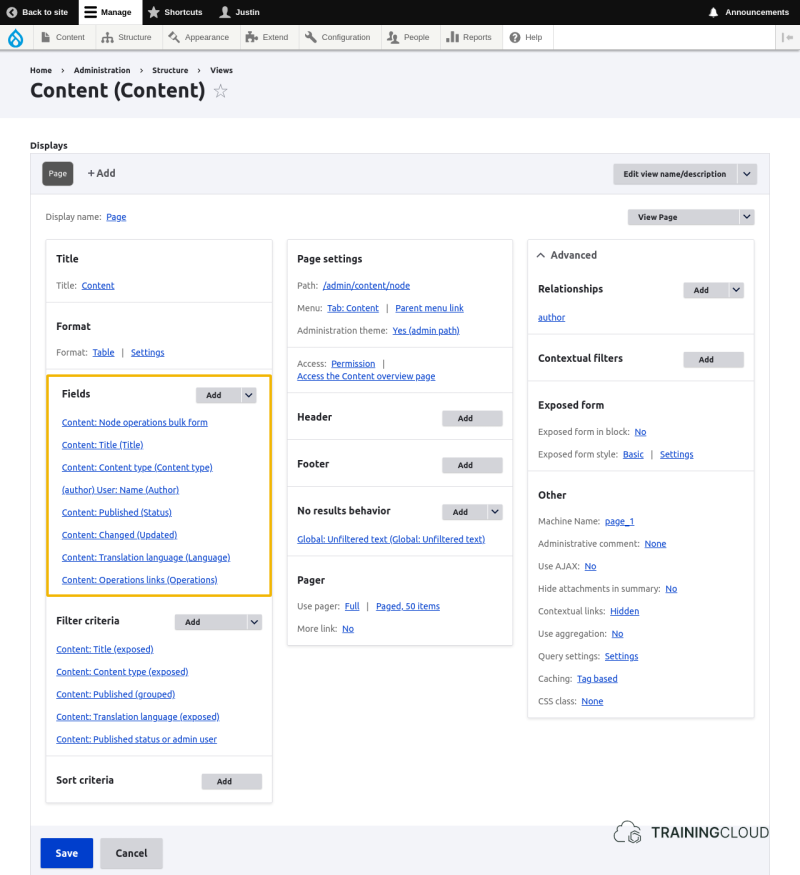
Let's have a look at this view's definition.
The fields section is highlighted, and lists all the fields to be shown for each result record:
Activity 1
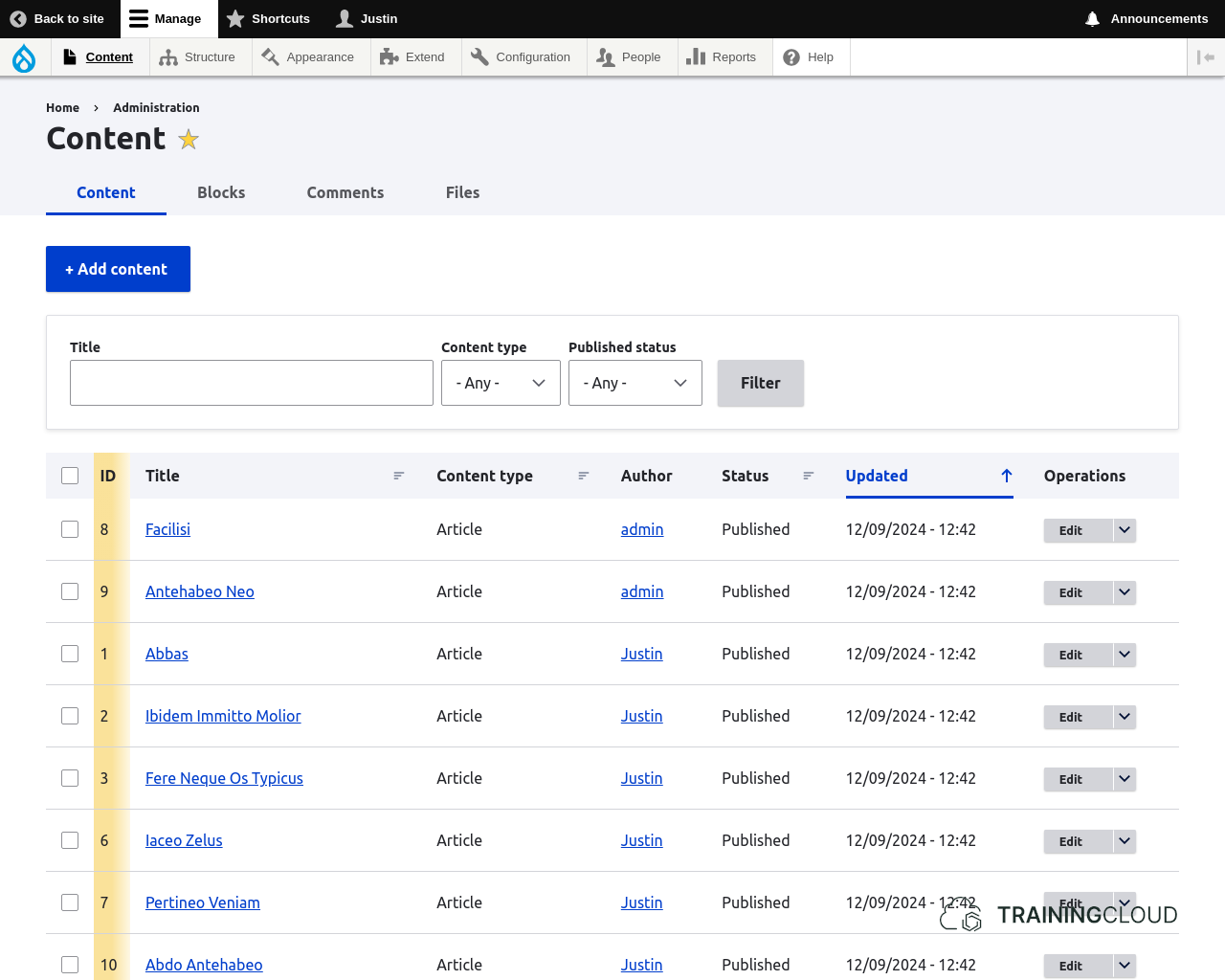
Show the ID for each content item, and to make the table sortable by ID.
- Add the ID (Content ID) field to the view and display it between the checkbox ('node operations bulk form') and the Title field.
- Ensure that the view is now also sortable by ID
The result should look like this (additions highlighted):
- You can rearrange fields by clicking on the arrow to the right of the 'Add' button.
Activity 2
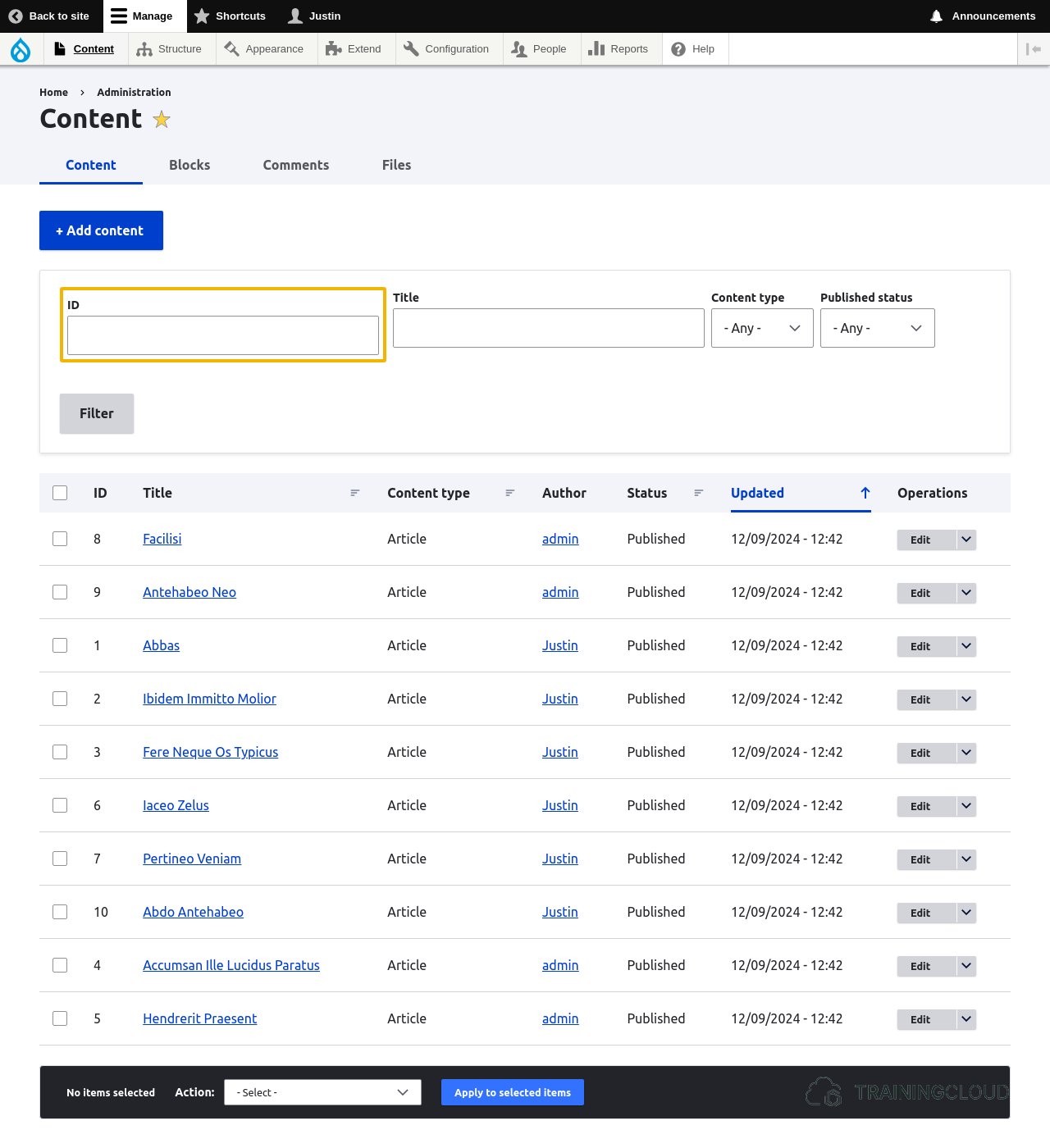
Now that we are showing the ID for each piece of content, it would be nice if we could also filter on ID so we can quickly find a piece of content whose ID we know.
- Add the Content ID field as an exposed filter and place it to the left of the Title filter field.
The result should look like this (additions highlighted):
Activity 3
When you're dealing with a lot of content, it can be useful to have the Content admin page show more than 50 items per page.
- Change the view so it shows 100 items per page instead of 50.
The number of items per page is part of the view's pager settings