As an administrator you use the administrative People view at Manage > People (/admin/people).
You'll notice this view is very similar to the administrative Content view (/admin/content), and could use a few customisations.
Activity 1
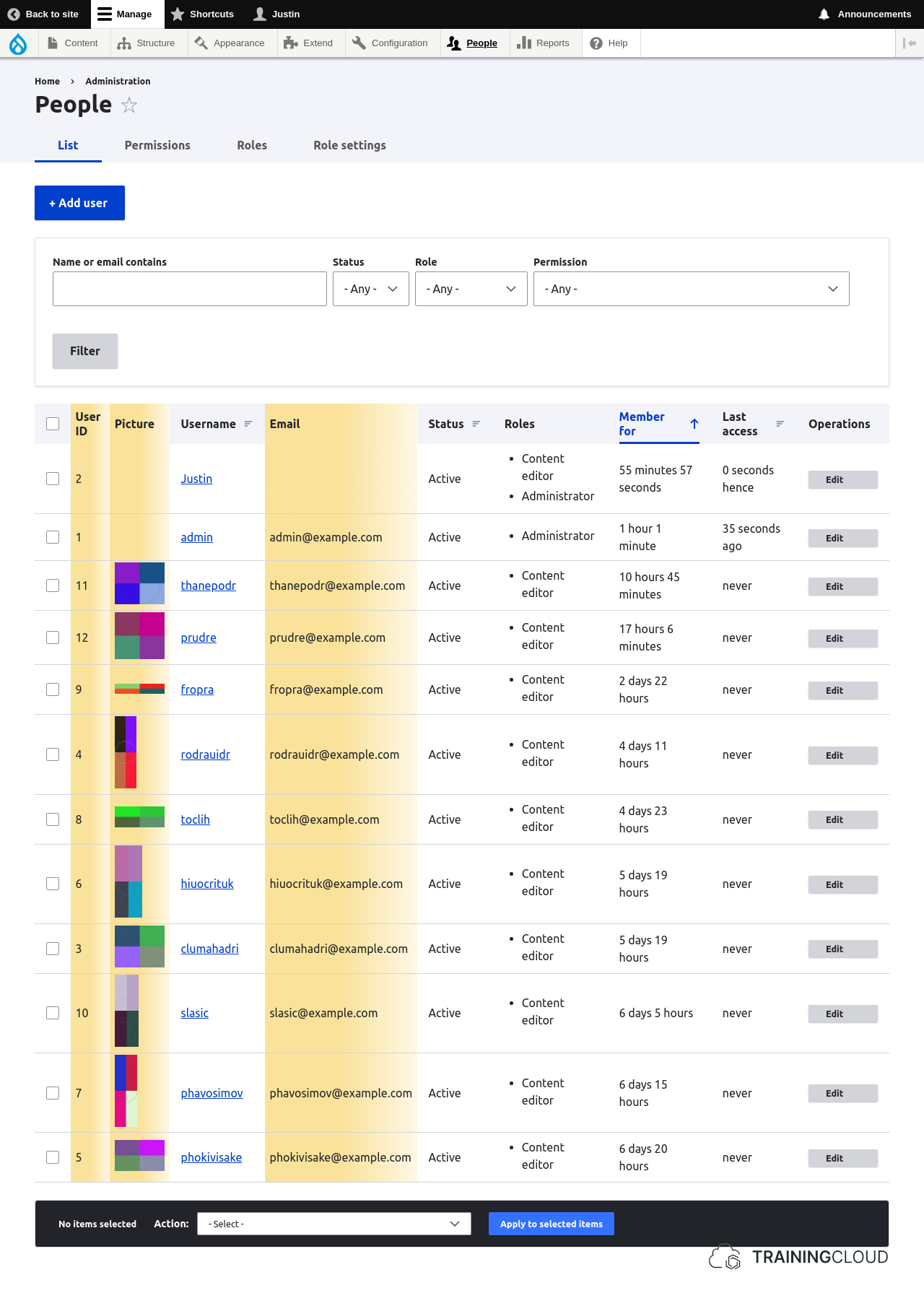
- Add the user id (UID) field and show it to the left of the username.
- Ensure the list of users can be sorted by this field.
- Sort options are part of the view's format settings.
- For a field to be sortable, it needs to be configured to show a label (which is used as the column header).
Hide hints
show hints
Activity 2
- Add the user picture field and show it to the left of the user id field you just added.
Hide hints
show hints
Activity 3
- Add the email address field and show it to the right of the username field
- Ensure the list of users can be sorted by this field.
The final result should look like this (additions highlighted):
Image
Hide hints
show hints
Summary
- When using the table format, most fields can be set as sortable.
- For a field to be sortable, it first has to be configured to show a label.
- A Field's label is used as the (sortable) column header in table displays.