
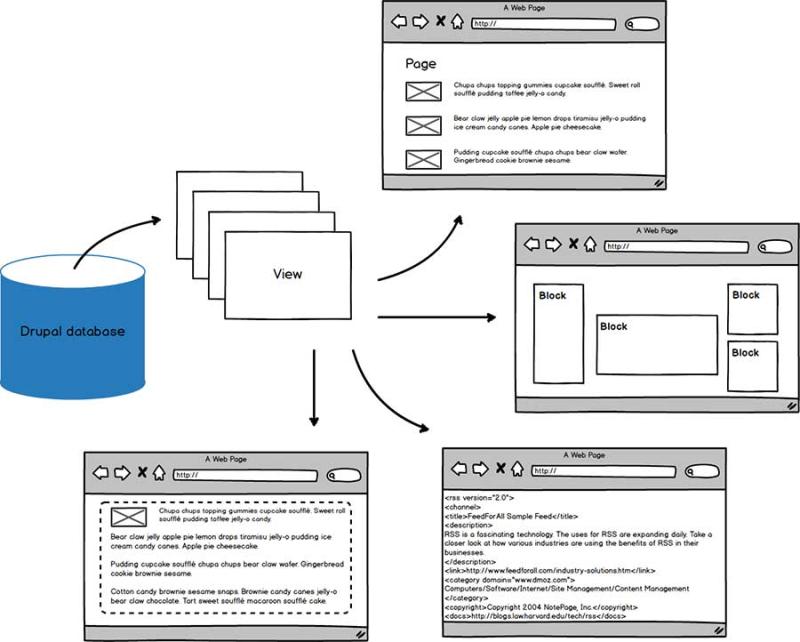
What are Drupal Views
The Views system is one of Drupal's most powerful features: it lets you retrieve data from your site's database and present it to the user in different ways.
Imagine the following scenarios:
- a member directory that shows a paginated list of users
- a block with links to the 5 most recent articles
- an events calendar with past and upcoming activities
- an index of all news articles that visitors can filter on category
- a block with the most liked comments
- a grid of all uploaded videos, ordered by popularity
- an RSS feed with your latest blog posts
- an advanced search form to find products that match user-provided criteria
- a block with a slideshow that links to news items
- a block with that shows articles related to the main article a user is viewing
- ...
All of these scenarios are typical examples that you can build in Drupal by creating one or more Views.
For database experts
If you're familiar with relational database principles, you can see the Views system as a visual query builder and data display engine rolled into one, fully programmatically accessible via an API.
For the rest of us
If you're not familiar with databases: no problem!
The beauty of Views is that it comes with an administration interface, so you can point-and-click your way through Views creation and maintenance from start to finish.
Core Views examples
Let's look at a few often-used views that come pre-installed with Drupal:
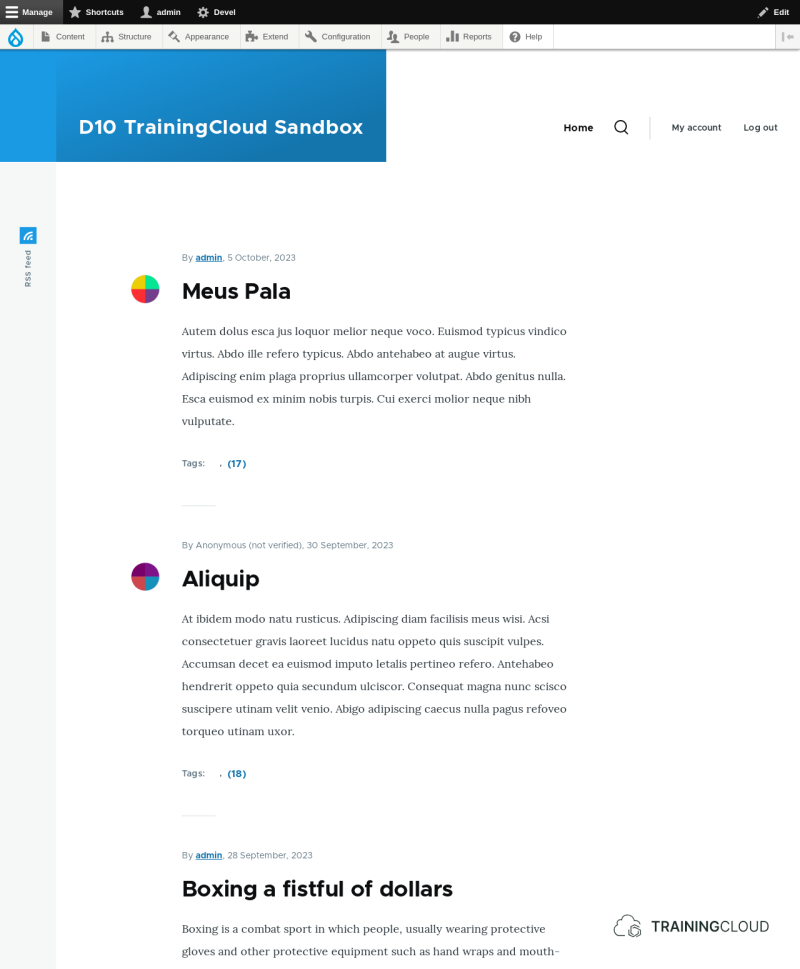
The /node view
The /node view powers the default front page of newly installed Drupal sites. It lists all content that has 'promote to front page' set to TRUE.
The view is configured to display the results as a page, reachable at the path /node.
Views whose output is a page (reachable at a given path) are said to have a page display.
By contrast, views whose output is a block (available for you to place in any theme region, just like all the other blocks) are said to have a block display.
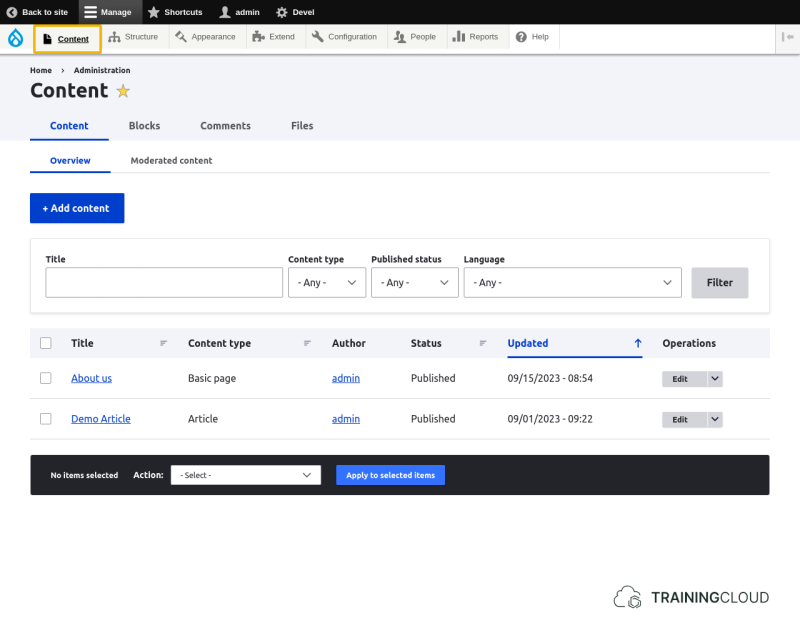
The content dashboard
The content dashboard at Manage > Content is an administrative view that lists all of your site's published and unpublished content.
It also provides search and filtering features, and a paging mechanism to only show 20 nodes at a time.
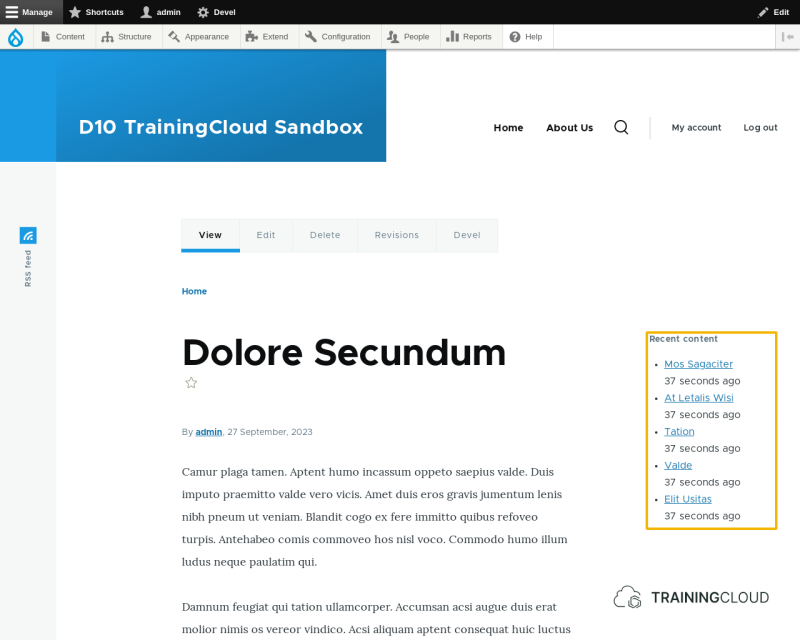
The 'Recent content' block
The 'Recent content' view lists recently created/updated nodes.
This view is not reachable at any path: it only offers a block display, not a page display.
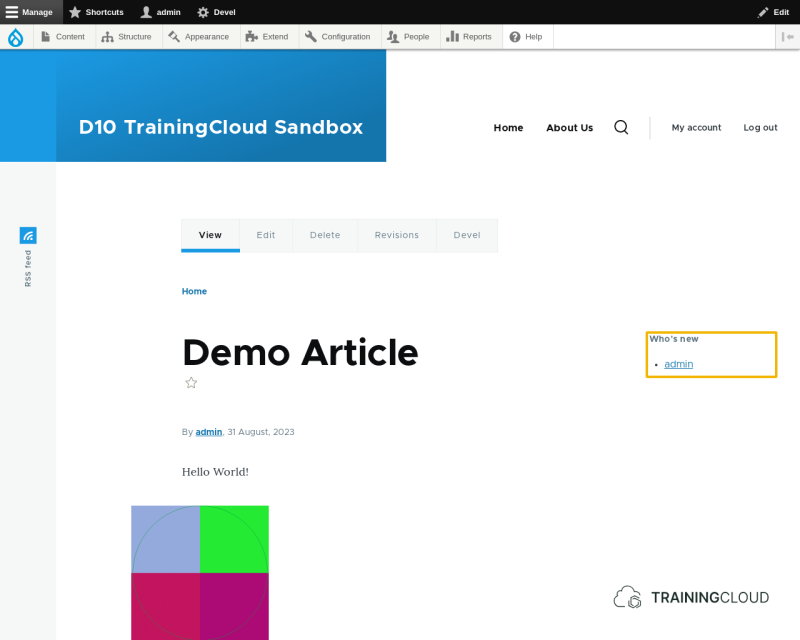
The "Who's new" block
The 'Who's new?' view offers a block display showing the newest users.
Other Views display types
Most views offer Page displays and/or block displays, but there are other displays you can create. We will look at the other views display types later in this chapter.
Administrative views
As the 'Content Dashboard' view illustrates, the Views system is also used by Drupal itself to build administrative views you can use to manage and filter content, users, and other entities.
You can even build your own custom content management views, or modify the ones that come with Drupal core.
Summary
- With Views you can build lists of data, usually content, and present that data in different ways.
- With Views you can build administrative pages.
- The content of a View is usually made available as a page and/or as a block, though other display types exist as well.