Objectives & prerequisites
Objectives
- View and scroll through the contents of files.
Prerequisites
None.
Overview
You can use less to scroll through the text content of a file one screenful at a time.
Viewing a file with less
sarah@laptop ~/documents/drafts$ less report.txt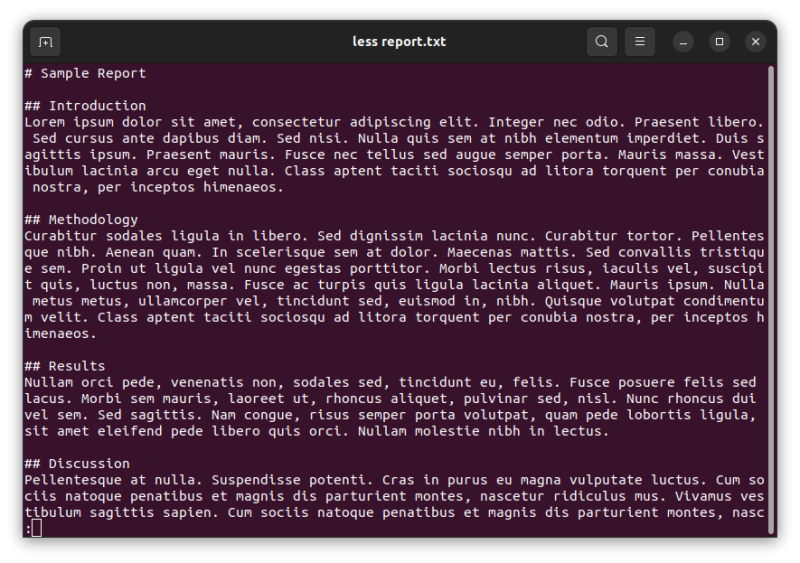
The above command shows as much of ~/documents/drafts/report.txt as can fit on your terminal screen.
→ Scroll up and down with your arrow keys.
→ The : at the bottom left indicates that there is more content to scroll through.
→ Press Q to quit and return to the terminal.
Activity
- Open a terminal, stay in your home directory or navigate to any other directory.
- View a listing of the directory contents, choose a file, and view it with
less. - Change the size of your terminal window and notice how the file content is reformatted to fit the screen.
- Scroll up and down.
- Return to the terminal.
Hide hints
show hints
Learning more
The less command has many options and key combinations you can use to scroll forward, scroll backward, search, jump to a specific line number, set up colours, and much, much more.
When you're ready to do more with less, be sure to use the --help option to explore all it has to offer.
Summary
- View and scroll through the contents of files with
less.