Objectives & prerequisites
Objectives
- View a list of all your recent commands.
- View a list of your recent commands, specifying how many items to show.
Prerequisites
None.
Overview
Use the history command to see a list of the most recent commands you have used during this terminal session and previous ones.
The number of historical results that are retained depends on your terminal's preference settings.
Example
sarah@laptop ~$ history 10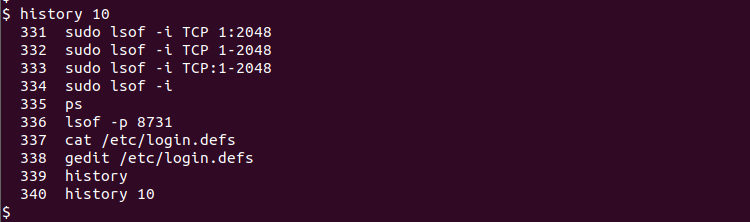
→ the above command shows the last 10 commands you issued.
→ To show to all of the commands that are retained in your history, use history without any arguments:
sarah@laptop ~$ historyActivity
Use the history command and look back at all the things you've been doing on the command-line the past few days and weeks.
Hide hints
show hints
Summary
- Use
historyto see a full list of your recent commands. - Use
history n, with n being an integer, to see a specific number of items.