Introduction
The Pathauto module lets you create rules for how and when entities such as nodes and users should receive an automatically generated path alias.
Though you can manually give each node an alias, having a system that automatically assigns aliases saves you time and reduces errors.
Pathauto is a contributed module, so you need to download and install it first. If you're using a TrainingCloud Drupal sandbox, the module is present but not yet enabled.
How does it work?
When Pathauto is enabled, it adds 4 local menu items to the URL Aliases administration page at Admin > Configure > Search and metadata > URL Aliases:
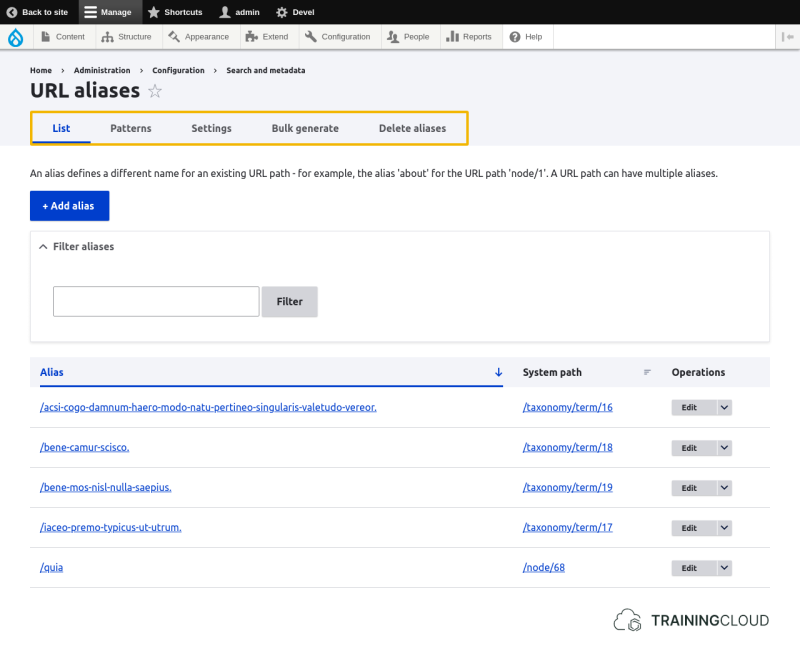
Managing Patterns
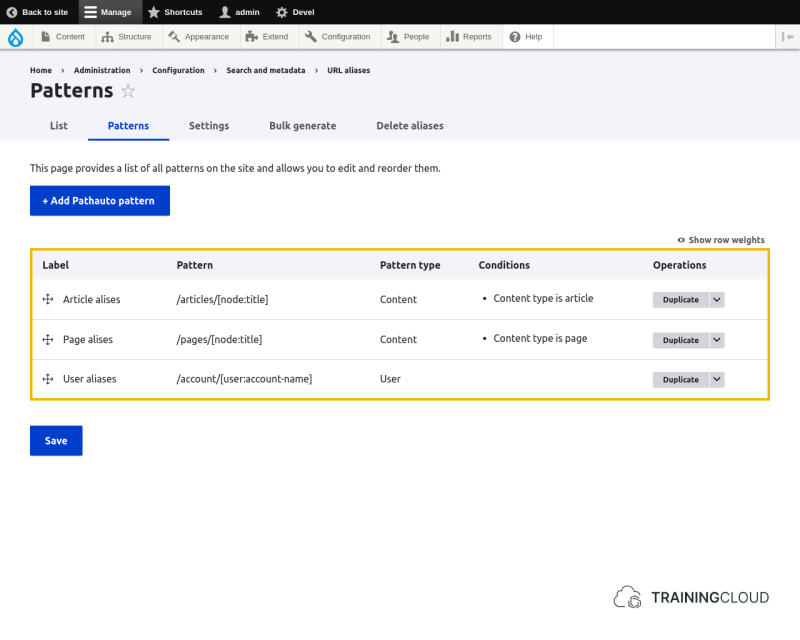
Patterns is where you manage and create the rules for automatic path alias creation.
You can manage your pathalias patterns at Manage > Configure > Search and metadata > URL aliases > Patterns:
Adding a pattern
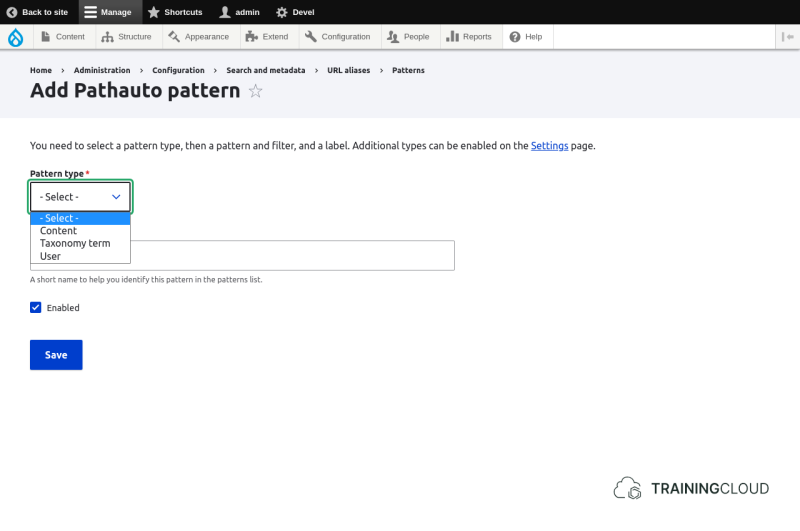
You can add patterns at Manage > Configuration > Search and metadata > URL aliases > Patterns > Add pathauto pattern.
Step 1: select pattern type (entity type)
Select for which type of resource you want to create a pathauto pattern.
The options are:
- Content
- Taxonomy term
- User
Step 2: Select bundle(s)
Once you've selected a pattern type, more options will appear below. Most importantly, you're asked to select for which bundle(s) (subtype(s)) this pattern should be used, if there are any.
If you selected 'Content', you'll be asked to select one or more content types:
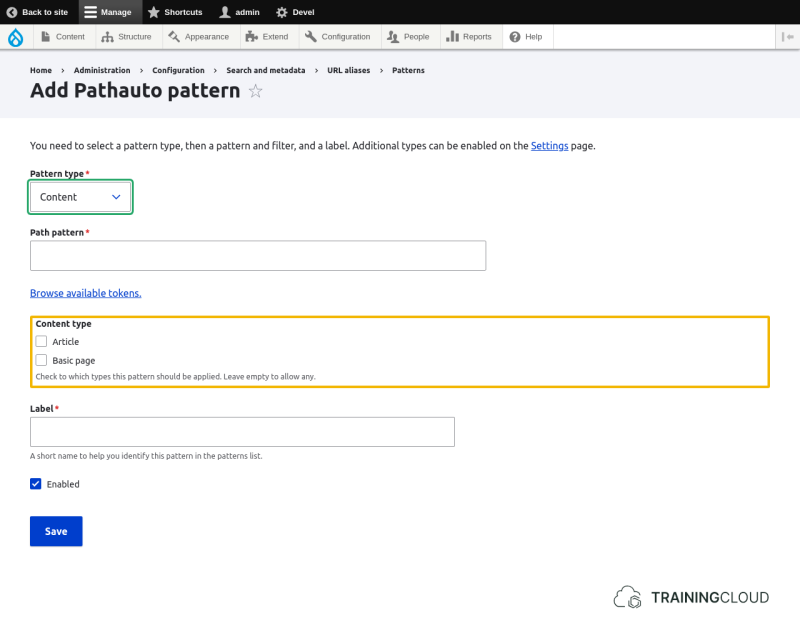
Leave the content type selection empty to apply this pattern to all content types.
Step 3: Define a path pattern
Pathauto alias patterns are like templates: each time you save a node, term, or user, Drupal will create or update that item's path alias, substituting the tokens (variables) in the pattern with the appropriate values.
Example
Assume you want all of your articles to get a path like /articles/title-of-the-article.
The pattern you would need for this is: /articles/[node:title].
This pattern has a fixed part: /articles/ and one or more variable parts (tokens): [node:title].
If you configure this pattern to be applied to Content of the type Article, every article's path alias will be updated, substituting the token with the node's title.
The substituted token values are processed and sanitized before they are used, otherwise the above pattern would have generated aliases like /articles/Title of the Article instead of /articles/title-of-the-article.
You can change the default processing and sanitization settings via the local action tab Settings. These settings apply to all patterns.
Step 4: Set a label and save the pattern
The last steps are to give your pattern a useful, descriptive label, and click save.
As soon as a pattern is saved (and it's set to 'active'), Drupal will apply it when saving nodes/terms/users if the conditions match.
Activity 1
- Create a pattern to give content of the type Page an automatic path alias based on their title.
- The aliases should look like this:
/content/pages/the-article-title-goes-here/content/pages/how-to-build-a-house
Notice the path structure and the fact that short title words like 'the', 'to', and 'a' have not been removed from the path.
Overriding automatic aliases
Once enabled, Pathauto will automatically generate aliases for the selected entity types.
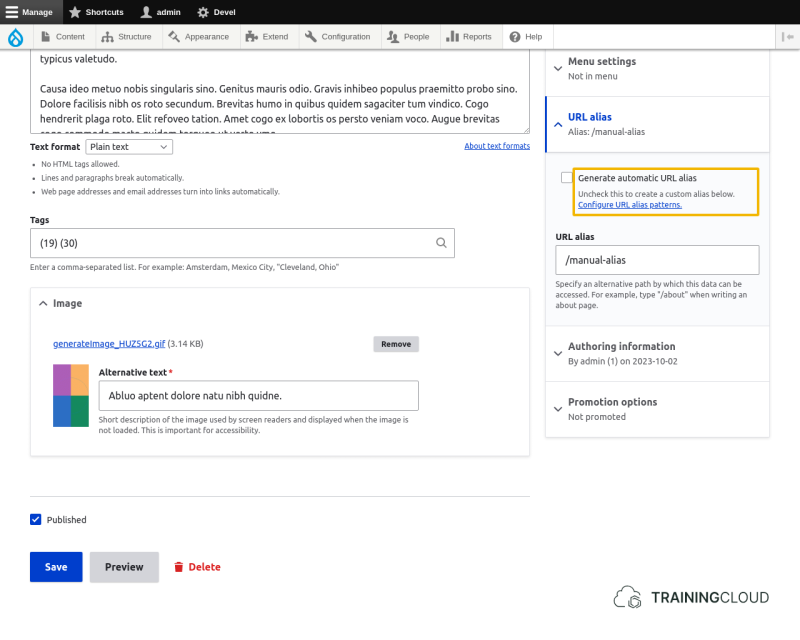
You can still override the automatic aliases for individual entities by editing them and unchecking their "Generate automatic URL alias" field:
Troubleshooting
Be aware that Pathauto will completely ignore all entities that have their "Generate automatic URL alias" field unchecked, including when you change a pattern and try to bulk regenerate all aliases for that pattern.
In short: if you've created a pattern and it doesn't get applied when you create or update certain entities, their "Generate automatic URL alias" field is most likely unchecked.
Activity 2
- After having created a title-based Pathauto pattern for Pages, and after having create one or more pages, edit a page that has received an automatic alias: override the automatic alias and provide your own alias. Save the page.
- Edit the page again and change the title. Save the page
→ Did you expect the alias to change?
→ Did the alias change?
→ Why?
Activity 3
- Create a Pathauto pattern for content of the type Article based on the title and the article's creation date.
- The aliases should look like this:
/blog/2021/hello-world-article/blog/2022/review-10-best-restaurants-egypt
Activity 3B
- Modify pattern for articles you created in the previous activity and add the month:
/blog/2021/11/hello-world-article/blog/2022/07/review-10-best-restaurants-egypt
- If you can't find the date part you're looking for, you can use a token that lets you create your own date format. This uses PHP's DateTime Format rules.
- Example, if you want to use the 'day' part of the current date, formatted as 'Mon', 'Tue', 'Wed', etc, the right token to use would be
[current-date:custom:D]
Summary
- Pathauto lets you configure patterns for automatic path alias creation.
- Automatic aliases save time, reduce errors, and promote consistency.
- You can apply patterns per entity type (nodes, users, terms, …) and bundle (Article, Page, …).
- Patterns contain fixed parts and variable parts (tokens).
- You van override automatic alias creation for individual entities by unchecking their "Generate automatic URL alias" field.