Introduction
You can configure the Pathauto settings that are used across all of your Pathauto patterns at Admin > Configure > Search and metadata > URL Aliases > Settings:
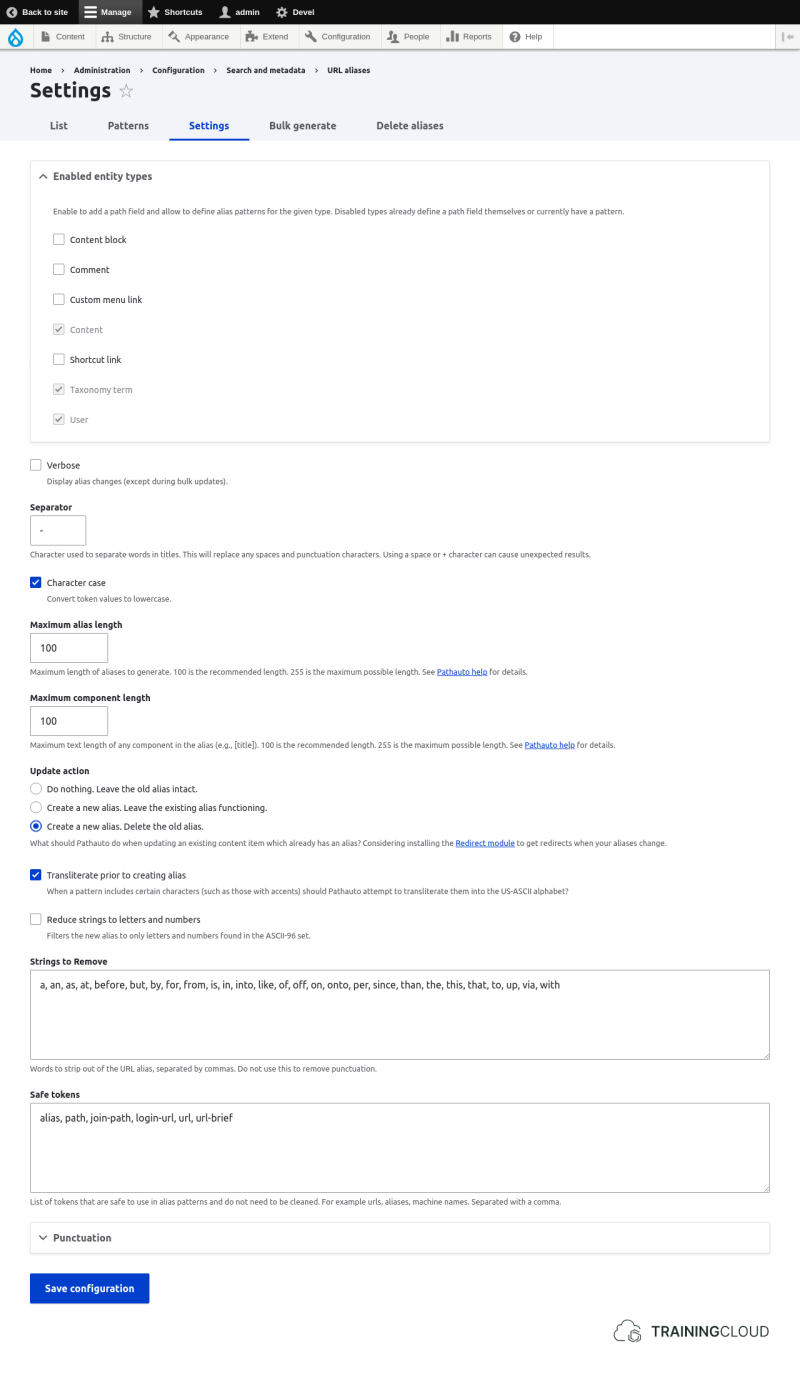
Pathauto's default settings work well for many sites - you don't necessarily need to make changes here unless you want to fine-tune the alias creation process.
We'll look take a look at the most important settings on this page.
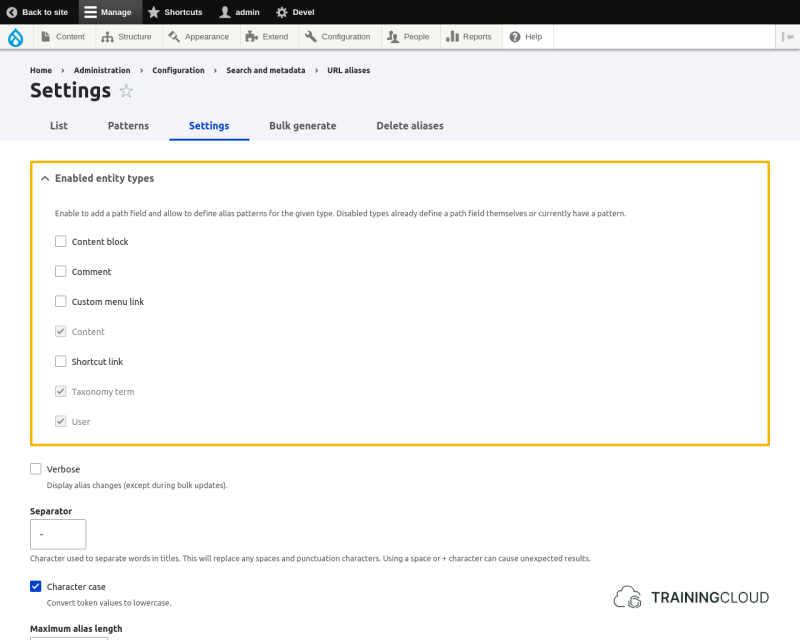
Enabled entity types
Lets you add a path alias fields to entity types (content blocks, comments, ...) that don't already have one, and make these entity types available for selection when you create a new Pathauto pattern.
Update action
This setting is probably the most important one on this page. It lets you specify what exactly needs to happen with a previously generated path alias when you update an entity (node, user, ...).
The options are:
- Do nothing. Leave the old alias intact.
- Create a new alias. Leave the existing alias functioning.
- Create a new alias. Delete the old alias.
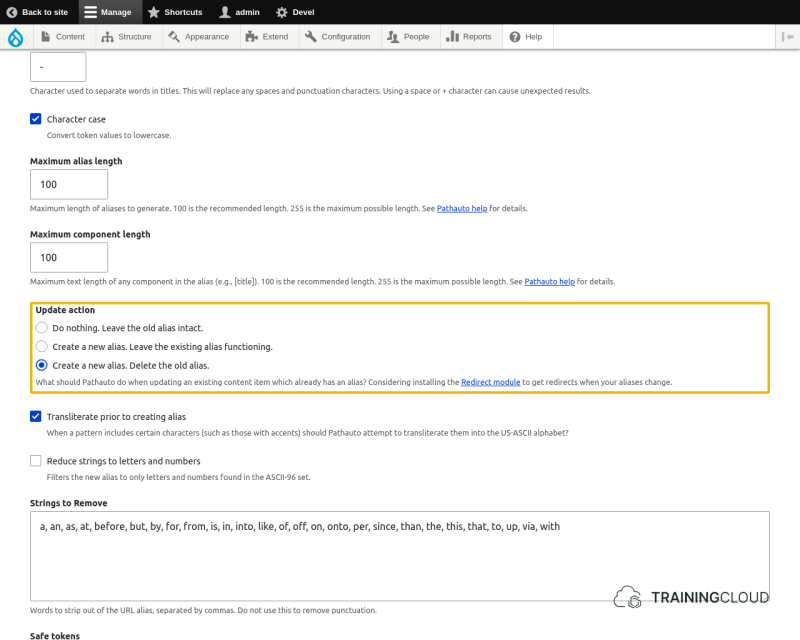
The default setting is "Create a new alias. Delete the old alias".
While this is not a bad setting, you probably do not want to do this on a live site. Consider the following scenario:
- You create a pattern for Articles, and use [node:title].
- A site editor publishes articles
- Later on the editor decides to make small changes to improve many of the titles.
If you use the default Pathauto settings, the result of this scenario would be that Drupal generates a new path alias for all the modified articles, and removes the old aliases.
People who had bookmarked those articles (and Google!) will no longer be able to find the articles, and will get Error 404 - Page not found instead.
Think carefully which of these options you want to use, and what the impact will be on visitors and search engines when content gets updated.
Note
If you use Pathauto and the Redirect module together on the same site, be aware that Redirect has a setting that lets you automatically create a redirect when an alias is deleted.
If you enable this Redirect setting, you can leave the default Pathauto setting 'Create a new alias. Delete the old alias.' in place, since a redirect will be created when the old alias is removed. This solves the "out-of-date bookmarks" problem.
If this is confusing, we suggest you play around with these settings and decide which combination of settings works best for you.
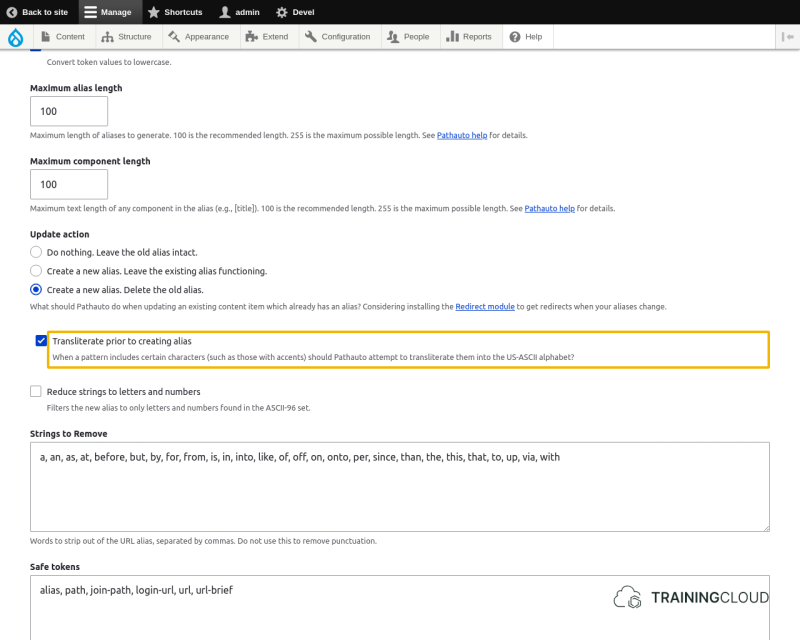
Transliterate prior to creating alias
Transliteration is the process of converting special characters and accented characters into non-special and non-accented characters that are less likely to cause problems in paths.
→ to learn more about transliteration, see https://en.wikipedia.org/wiki/Transliteration.
Strings to remove
Pathauto automatically removes short, less-important words to keep paths short and easy.
Words that are removed include 'a', 'an', 'the', 'is', 'in', etc.
If you want to keep any of the predefined words in the paths generated by Pathauto, remove them from the list of Strings to remove.
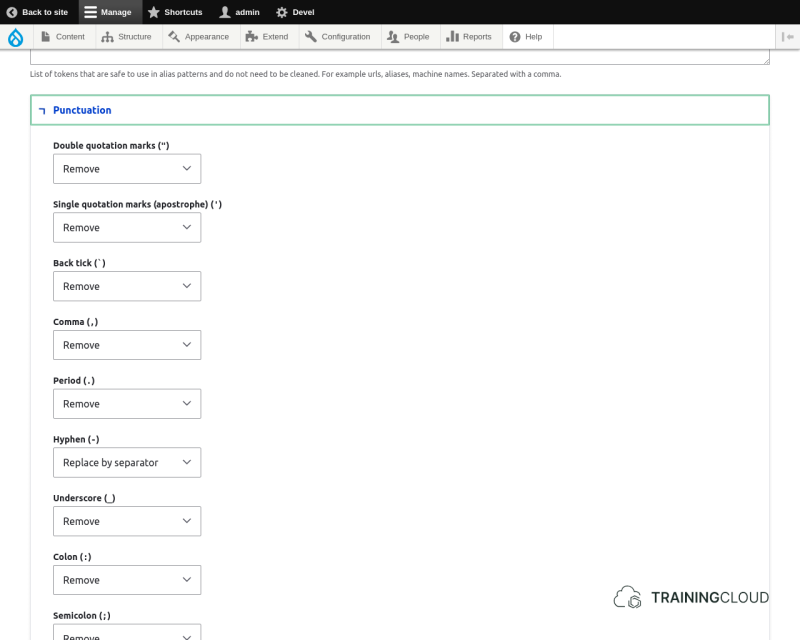
Punctuation
Pathauto removes most punctuation signs by default. If for any reason you want to keep some of punctuation signs or replace them with the selected separator, you can do so here:
Summary
- The Pathauto settings are used across all of your Pathauto patterns.
- Your choice of update actions may cause broken bookmarks and Search Engine Optimisation issues.
- Transliteration of special characters is enabled by default. It makes paths easier to read and avoids issues with browsers and third party systems that don't handle special characters in paths well.
- You can specify which words and punctuation signs to remove or replace.