Objectives & prerequisites
- Locate a paragraph field's form widget options.
- Change the default paragraph field form widget options to customise various aspects of the paragraphs editing experience.
Customising the widget options
Like all other fields, paragraph fields have multiple widgets and options you can select to customise the paragraphs editing experience:
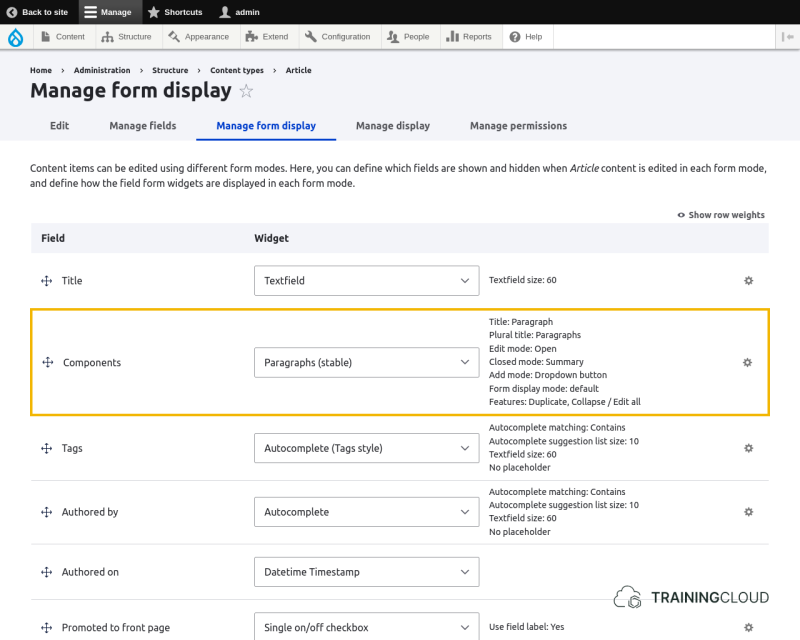
Widgets and options
By default, paragraphs fields have 2 available widgets:
- Paragraphs (stable) (default)
- Paragraphs (legacy) (outdated)
The Paragraphs (legacy) widget is outdated; we won't discuss it here.
Clicking the options cog on the right hand side of the Components field reveals the list of options associated with currently selected widget (Paragraphs (stable)):
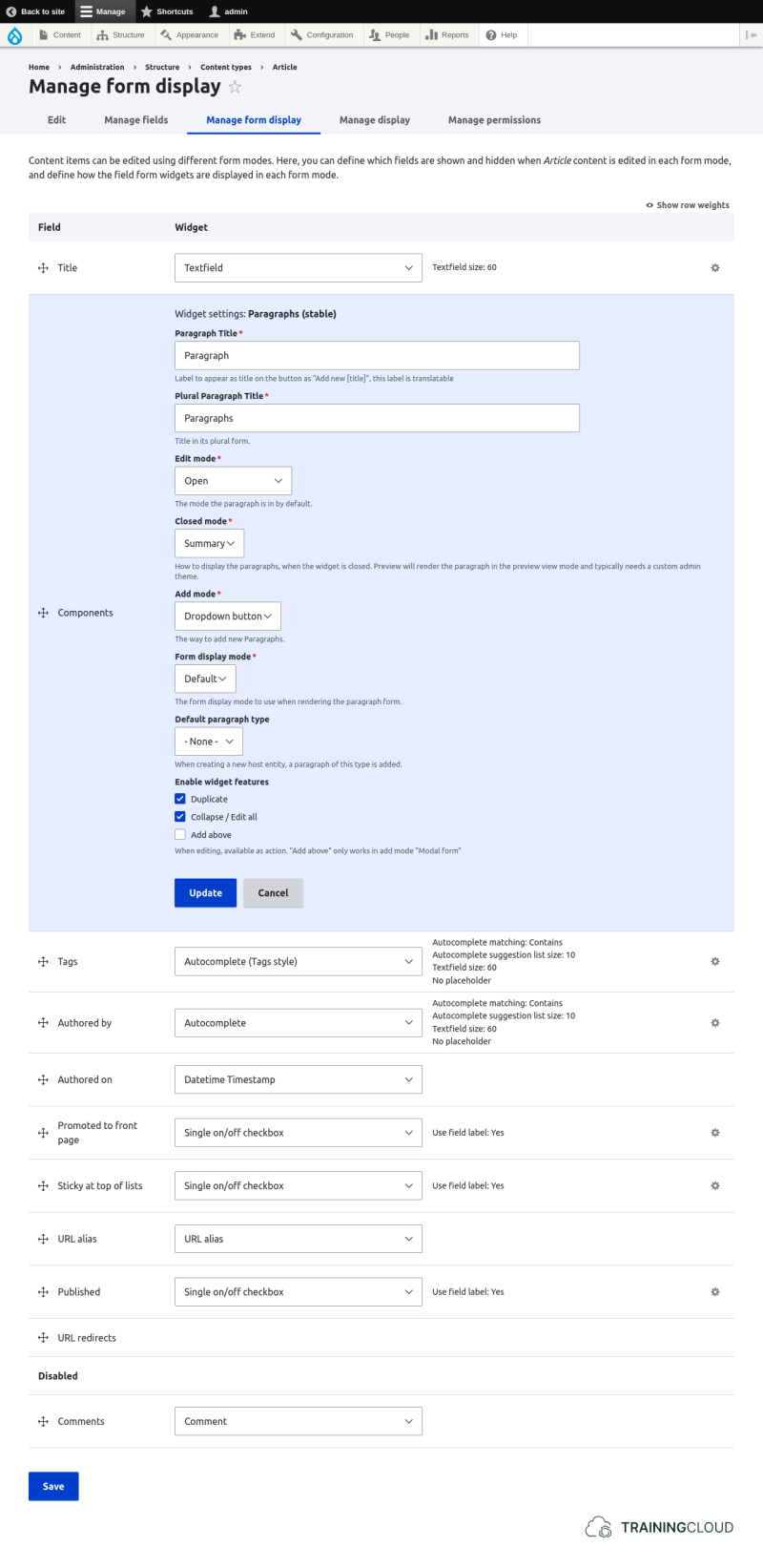
Let's go over the options:
Label to appear as title on the button as "Add new [title]", this label is translatable
Title in its plural form.
→ It's a good idea to use 'Component' and 'Components' here, as content editors will more easily understand the term 'component' than 'paragraph'.
The mode the paragraph is in by default.
How to display the paragraphs, when the widget is closed. Preview will render the paragraph in the preview view mode and typically needs a custom admin theme.
The way to add new Paragraphs.
Options:
- select list
- buttons
- dropdown button
- modal form (pop-up)
Changing this option usually has the biggest impact, as it changes how editors add new paragraphs to a node.
The best choice depends on editor preference and on how many Paragraph Types are available: certain options are easier to use for a large set of Paragraph Types than others.
The form display mode to use when rendering the paragraph form.
Unless you have created new form modes in code, or you have installed a module that does so, this select list will only have the value 'default'.
When creating a new node, a paragraph of this type is automatically added.
- Duplicate
- Collapse / edit all
- Add above (lets you add a paragraph above another one)
- Convert
Activity 1
- Create a new article or edit an existing one, and pay attention how the default paragraph selection mechanism ("dropdown button") works.
Activity 2
- Change the paragraph field's widget options:
- Change "Add mode" to "Modal form".
- In "Enable widget features", ensure "Add above" is selected.
- Edit an existing article and evaluate how the paragraph selection mechanism works now.
- Find and use the new "add above" feature. Do you find it useful?
Activity 3
- Change the paragraph field's widget options:
- Change "Add mode" to "buttons"
- Edit an existing article and evaluate how the paragraph selection mechanism works now.
- Which of these different "Add mode" options do you think your editors will like best? Are there specific scenarios in which you think one of the options is clearly better than the others?
Summary
- Paragraph fields have multiple widgets, each of which has multiple options.
- Changing some these options can significantly improve the editor experience.